Halloween Sale – Enjoy 20% off selected products from October 20 to November 3!
Job creator
Important Store Information
Welcome to our RedM Tebex Store! Please read the following information carefully before making a purchase.
Purchase & Refund Policy
All purchases made through our store are final and non-refundable. Since our products are digital goods, we strongly recommend reviewing all product descriptions, features, and requirements before completing your purchase. By purchasing from our store, you acknowledge and agree to these terms, subject to your applicable consumer rights.
Support & Additional Information
If you have any questions, requests, technical issues, or need assistance with installation or purchased scripts, please join our official Discord server. Our Discord community is also the place to find free RedM scripts, additional information about our resources, updates, and announcements.
For any inquiries or further assistance, feel free to contact us through Discord.
Official Discord Server: https://discord.gg/QAVf5t8CjS
Script Documentation
For detailed information about our scripts, including installation instructions, configuration guides, available features, and usage details, please visit our official documentation website. We recommend reading the documentation before installing or configuring any purchased resources to ensure proper setup and functionality.
Official Documentation: https://docs.wasvendeldev.eu/
Thank you for your trust and support. We appreciate every purchase and hope you enjoy our RedM resources.
Job creator
Job Creator
Create fully custom civilian jobs without touching code. Job Creator is a complete RedM job system with a built-in visual creator, so you can build deliveries, ranch work, hunting, hauling, and your own job loops directly in-game.
Set up the full job on a visual canvas, connect steps with wires, place points and entities from your character, set rewards and requirements, then publish the job when it is ready.
Important Notice - BETA Release
This resource is currently in BETA release . If you find any bugs, have suggestions, or notice anything that could be improved, please contact me on Discord . Your feedback helps improve the system and make future updates better.
Main Features
-
Visual node editor - drag and drop steps, connect them with wires, and build the full job flow visually
-
Order modes - strict sequence, free order, hybrid, parallel, player-specific, or party-shared
-
In-game placement - place interaction points, NPCs, wagons, horses, boats, objects, animals, and blips from your character
-
Co-op crews - shared objectives, cargo, and spawned entities, with a minimum and maximum crew size
-
Dialog routes - NPC dialog can branch into named paths, lock options behind XP or level, and start a crew job with nearby players
-
Requirements - job and grade, skill level, XP, reputation, certification, required items, and an optional deposit
-
Limits - personal and global cooldown, daily limit, max duration, and max concurrent instances
-
Rewards - cash, gold, items, and XP, with per-job skill tracks and a player skills menu
-
Import / Export - share jobs as JSON and save custom templates to the database
-
Statistics and logs - starts, completions, fails, payouts, and an in-creator log view
-
Discord logging - webhook logs for creation, enable/disable, start, completion, and optional step logs
-
Permissions - creator access by group, Steam ID, or ACE
-
XP/Level System (Default: F7 – Rebindable)
Step Modules
-
Includes 517 step modules.
-
Flow - finish, fail, and cancel
-
Navigation - go-to zones, GPS, and waypoints
-
Interactions - world points, entity prompts, timed work, and NPC dialog
-
Spawns - wagons, horses, boats, peds, animals, and objects, with despawn and occupied dock handling
-
Cargo - pick up, carry, load, and unload crates, sacks, barrels, logs, and luggage, with a wagon attach editor
-
Stagecoach - stop routes, boarding, luggage, and passenger tips
-
Fluids - fill and deliver a shared tank, with an in-world pump
-
Livestock - herd animals, call strays back, and optional predator attacks
-
Hunting - track clues with Eagle Eye, then run a hunt
-
Forestry - cut trees, fell them, pick up logs, and set a world respawn
-
Construction - work points, material hauls, and structure reveals
-
Economy - give or take items, money, and XP, and check them before the next step
-
Logic - wait, randomize, and fire your own client or server events
-
Alerts - custom player notifications
-
Boats that need a helm use an enter-wheel prompt and stay frozen until someone takes the wheel.
Player Experience
Players start a published job from its giver, follow the objective, and complete steps with hold prompts, animations, and optional progress bars. Crews share the same wagons, cargo, and objectives. Cooldowns, daily limits, and reset rules stop the same job from being farmed without a break. When the job ends, spawned entities are cleaned up automatically.
Locked Files
The server and client files are locked via CFX Escrow, while the config files remain fully open and editable.
Dependencies
-
VORP Core or RSG Core
-
vorp_inventory or rsg-inventory
-
oxmysql
-
wasvendel_minigame - optional, only if a step uses a minigame
Supply Shop
Supply Shop System
Create fully customizable, player-owned or faction-owned shops directly in-game. Wasvendel Supply Shop provides a complete shop management system with an easy-to-use administration menu, detailed employee permissions, configurable taxes, stock management, and comprehensive Discord logging.
Create shops in just a few steps, place custom NPCs and map blips, define opening hours, configure available products, manage prices and stock, and control the entire shop economy without editing any code.
Key Features
- In-Game Shop Creator – Create and configure shops through a user-friendly administration menu.
- Player-Owned Shops – Assign shop ownership to a specific player.
- Faction-Owned Shops – Link shops to factions and faction accounts.
- Custom Shop Names – Give each shop its own unique name.
- Map Blip Placement – Create and configure custom map blips for each shop.
- NPC Placement – Place custom shop NPCs directly in-game.
- Opening Hours – Configure when each shop is available to players.
- Custom Item Selection – Define which items can be purchased in each shop.
- Item Restrictions – Restrict certain products based on server configuration.
- Item Whitelist & Blacklist – Explicitly allow or block selected items for each shop.
- Stock System – Configure and manage the available quantity of each product.
- Custom Item Prices – Set individual selling prices for every product.
- Shop Balance – Automatically transfer purchase revenue directly to the shop's own account.
- Faction Account Support – Transfer shop revenue to faction accounts managed by wasvendel_boss.
- Configurable Sales Tax – Define a tax amount for each transaction.
- Separate Tax Handling – Collected taxes are processed separately and are not added to shop revenue.
- Employee System – Allow shop owners to hire employees and assistants.
- Detailed Permissions – Precisely control which management features each employee can access.
- Restocking Permissions – Allow selected employees to restock products.
- Balance Management Permissions – Control who can deposit, withdraw, or manage shop funds.
- Price Management Permissions – Allow authorized employees to modify item prices.
- Discord Logging – Track purchases, stock changes, balance transactions, employee actions, and management changes.
Shop Management
Shop owners can manage their businesses through a structured permission system. Employees can only access the features assigned to them, helping prevent unauthorized changes to stock, prices, employees, or shop funds.
Each shop can operate independently using its own balance or function as part of a faction economy through integration with the Wasvendel Boss system.
Player Experience
Players can visit shops during their configured opening hours, interact with placed NPCs, browse available products, and make purchases based on current stock levels and prices.
Every transaction automatically updates the shop's stock, processes the configured tax, and transfers the remaining revenue to the selected shop or faction account.
Administration & Security
Administrators can create and configure shops directly in-game without manually editing configuration files. Shop locations, NPCs, map blips, products, prices, opening hours, ownership, taxes, and permissions can all be managed through the built-in administration interface.
Important activities can be monitored through detailed Discord webhook logs, providing complete visibility into purchases, stock changes, balance transactions, employee activities, and shop management operations.
Escrow Protection
Server-side and client-side files are protected using CFX Escrow, while configuration files remain fully accessible and editable.
Dependencies
- VORP Core or RSG Core
- vorp_inventory or rsg_inventory
- oxmysql
- wasvendel_boss – Required for faction-owned shops and faction account integration.
Injury & Health
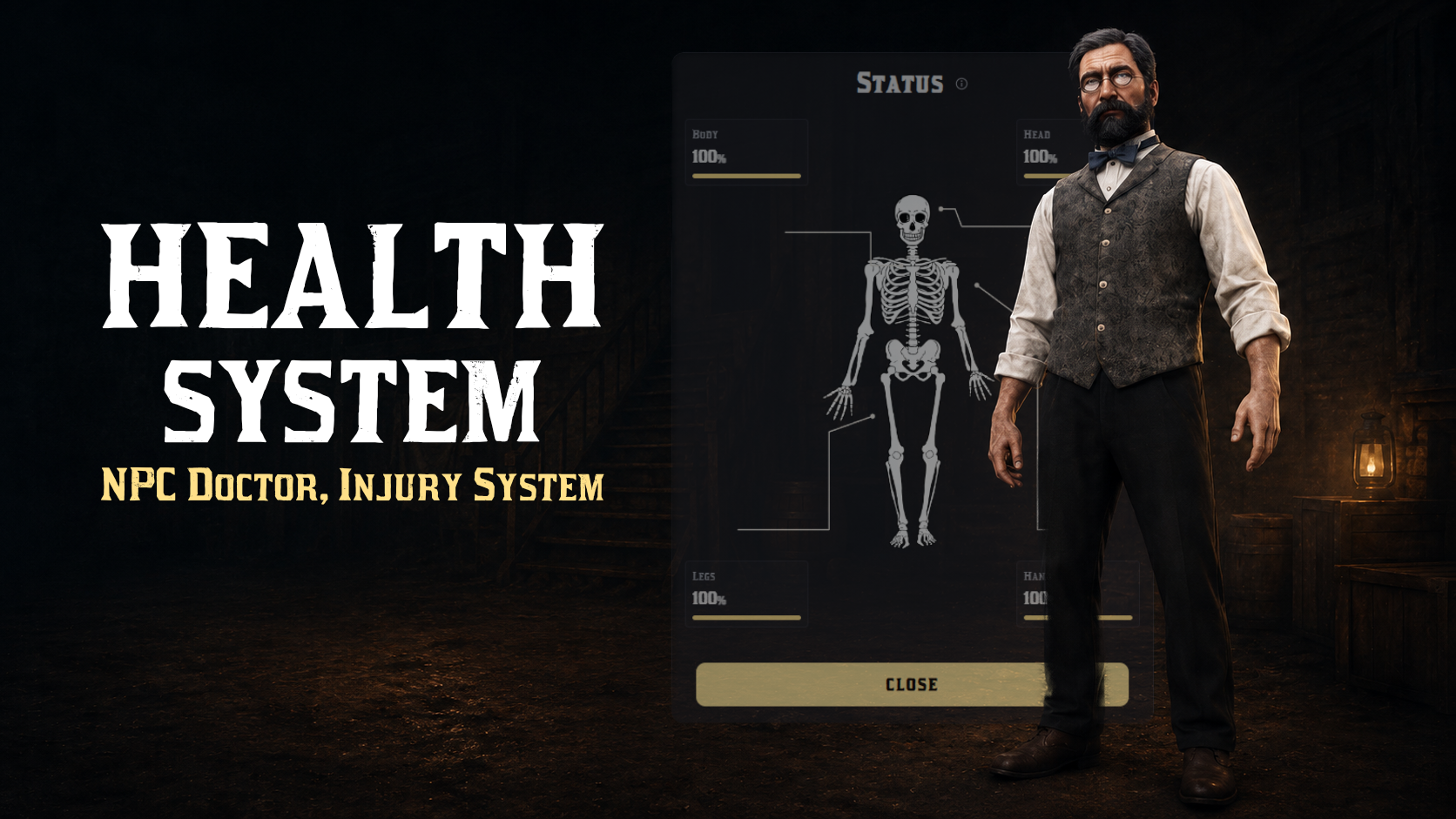
Injury & Health System
A complete injury and medical system for RedM servers. wasvendel_health tracks damage by body region and individual bones, gives players a visual injury status panel, and supports self-treatment, player doctors, and NPC doctor services.
Core gameplay behavior can be adjusted through open configuration files without editing the protected core logic. You can configure injury scaling, weapon damage modifiers, healing items, doctor requirements, NPC doctor location and prices, somatic injury effects, SQL persistence, and language strings.
Main Features
Bone-Based Injury Tracking – Damage is applied to individual bones and grouped into body regions: head, body, hands, and legs.
Multiple Damage Detection Methods – Detects injuries through network hits, health loss checks, entity damage events, and game event payloads.
Injury Status Panel / NUI – Visual skeleton-based panel with region injury cards and percentage-based injury display.
Self-Treatment – Players can treat injured body regions using bandages, with a configurable healing limit per region. Default value: 80%.
Player Doctor System – Examination UI for nearby patients, region treatment, HP healing, and resuscitation.
Revive Rhythm Minigame – Timing-based resuscitation minigame with configurable beats, miss limits, and duration.
Doctor Treatment Minigame – Treatments can require a successful
wasvendel_minigamecheck before applying the healing effect.Revive Attempt Limit – Configure how many revive attempts are allowed during a single downed state.
NPC Doctor – Paid self-treatment and carried-player revival at a configurable location, with animations and progress bars.
Carry-Revive Support – Revive an unconscious carried player at the NPC doctor when no player doctor is available.
Somatic Injury Effects – Limping, blurred vision, aiming shake, bleeding particles, random falls, and horse dismounts.
Consumable Healing Items – Usable healing items, such as medicine, with cooldowns, animations, and HP restoration.
Per-Weapon Damage Scaling – Configurable damage multipliers for melee weapons, firearms, bows, thrown weapons, and other damage types.
SQL Persistence – Saves the full bone health map per character, with automatic periodic saving.
Export API – Client-side and server-side exports for panels, healing, injury snapshots, revive checks, and persistence.
Multi-Language Support – English and Hungarian language files included in
configs/lang.lua.
System Modules
Injury System – Region-based injuries, bone health map,
/mystatuscommand, and remote status checks.Self-Heal – Bandage usage with animation, progress bar, cooldown, and limited region healing.
Doctor System – Player doctor UI, region healing, HP healing, resuscitation, proximity checks, and item usage.
NPC Doctor – Paid self-heal and revive service, which can be disabled when player doctors are on duty.
Injury Effects – Limping, random falls, horse dismounts, blurred vision, screen flashes, aiming shake, and bleeding effects.
Integrations – Full healing, region healing, status checks, doctor healing, persistent saving, and revive quota exports.
Full export documentation is available in the exports.md file.
Player Experience
Players can receive region-based injuries from combat, falls, animals, and weapons. By opening the injury status panel, they can see exactly which body parts are damaged, partially treat themselves with bandages, and visit a doctor for full recovery.
Player doctors can examine patients, use the required medical items, complete treatment minigames, and revive unconscious players within the configured attempt limit.
If no player doctor is available, the NPC doctor can provide paid treatment, including reviving an unconscious ally who is being carried. Injuries persist between sessions and continue to affect movement, aiming, vision, and bleeding until they are properly treated.
Locked Files
Server-side and client-side core files are protected with CFX Escrow, while all configuration files remain fully open and editable.
Dependencies
VORP / RSG Core
vorp_inventory/rsg_inventoryoxmysqlwasvendel_minigame– free resource
Robbery creator
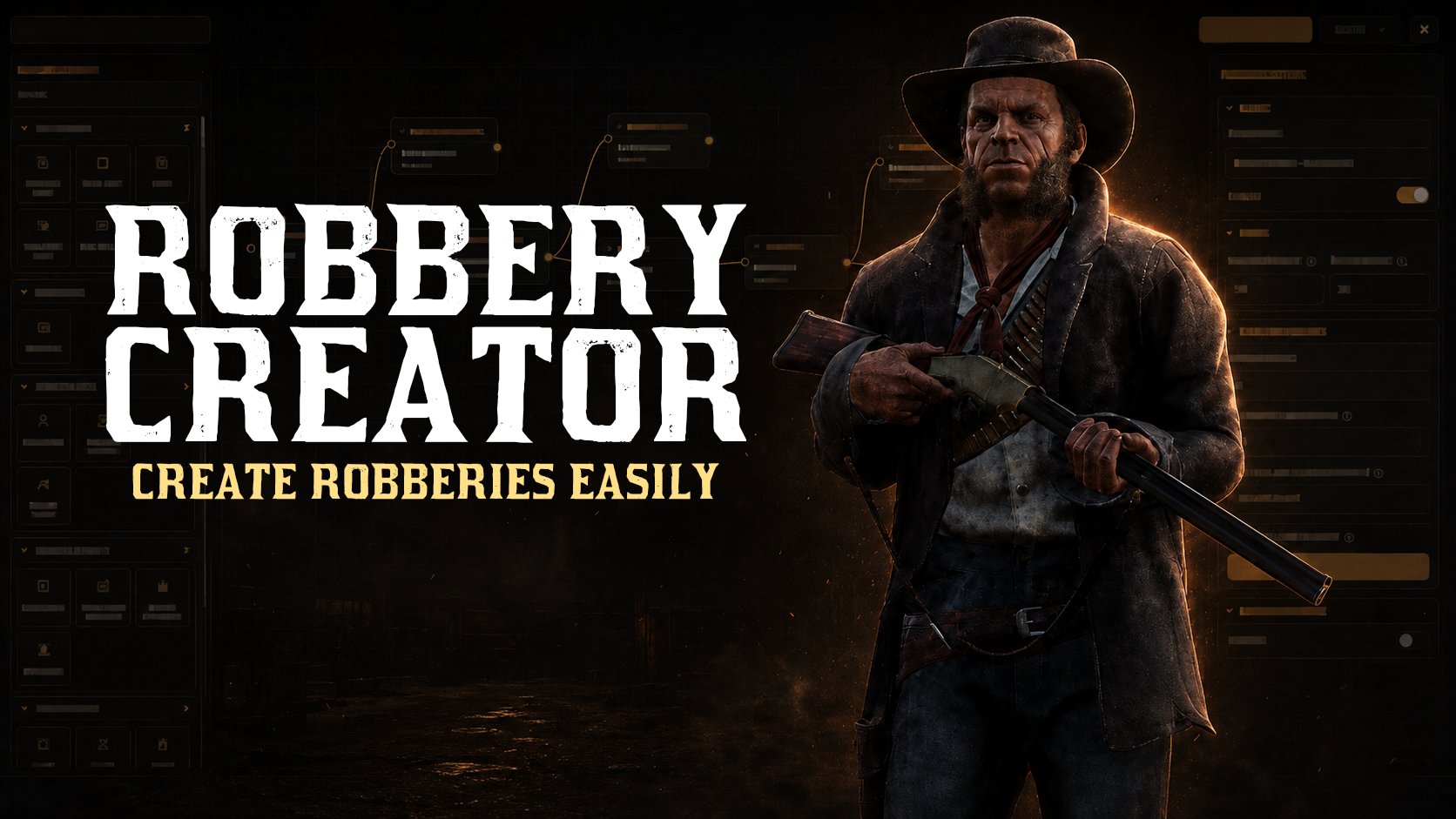
Robbery Creator
Create fully custom robberies without touching code. Robbery Creator is a complete robbery system with a built-in visual creator, allowing you to build bank heists, store robberies, and custom jobs directly in-game.
Set up the full robbery flow on a visual canvas, connect steps with wires, place interaction points in-game, configure NPCs, doors, objects, blips, rewards, requirements, and publish your robbery when it is ready.
Main Features
-
Visual node editor - drag and drop steps, connect them with wires, and build the full robbery flow visually
-
Order modes - strict sequence, free order, or hybrid mode
-
In-game placement - place points, doors, objects, NPCs, blips, safes, registers, and interaction zones from your character
-
Animated safe door openings - visual safe opening sequences for robbery steps
-
Animated cash register openings - register interactions for store robberies and custom jobs
-
NPC patrol routes - configure custom patrol routes for robbery NPCs
-
Party / crew support - NPC dialog steps can start robberies together with nearby players
-
Cooldown and reset timers - per-robbery cooldown, location reset timer, and optional max duration
-
Requirements system - minimum lawmen online, required items, job restrictions, and group restrictions
-
Loot system - supports items, money, gold, and blood money
-
Inventory full handling - if the player inventory is full, the loot can drop as a sack on the ground
-
Fixed open doors - keep selected bank doors open server-wide with a built-in template
-
Import / Export - share robberies as JSON and save custom templates to the database
-
Discord logging - webhook logs for creation, enable/disable, start, completion, and optional step logs
-
Team System - players can create teams up to a predefined maximum size, allowing robberies to be carried out as a group


Step Modules
Includes 21 different step module types.
See the preview image for more details.
Player Experience
Players interact with configured points using hold prompts, complete robbery steps in the selected order mode, fight guards, crack safes, open cash registers, collect loot, and trigger dispatch alerts.
After the configured reset time, the location returns to its default state. Doors, NPCs, safes, registers, and spawned objects are reset automatically.
Locked Files
The server and client files are locked via CFX Escrow, while the config files remain fully open and editable.
Dependencies
-
VORP Core or RSG Core
-
vorp_inventory or rsg_inventory
-
oxmysql
-
wasvendel_minigame
-
wasvendel_dispatch - required for the dispatch module
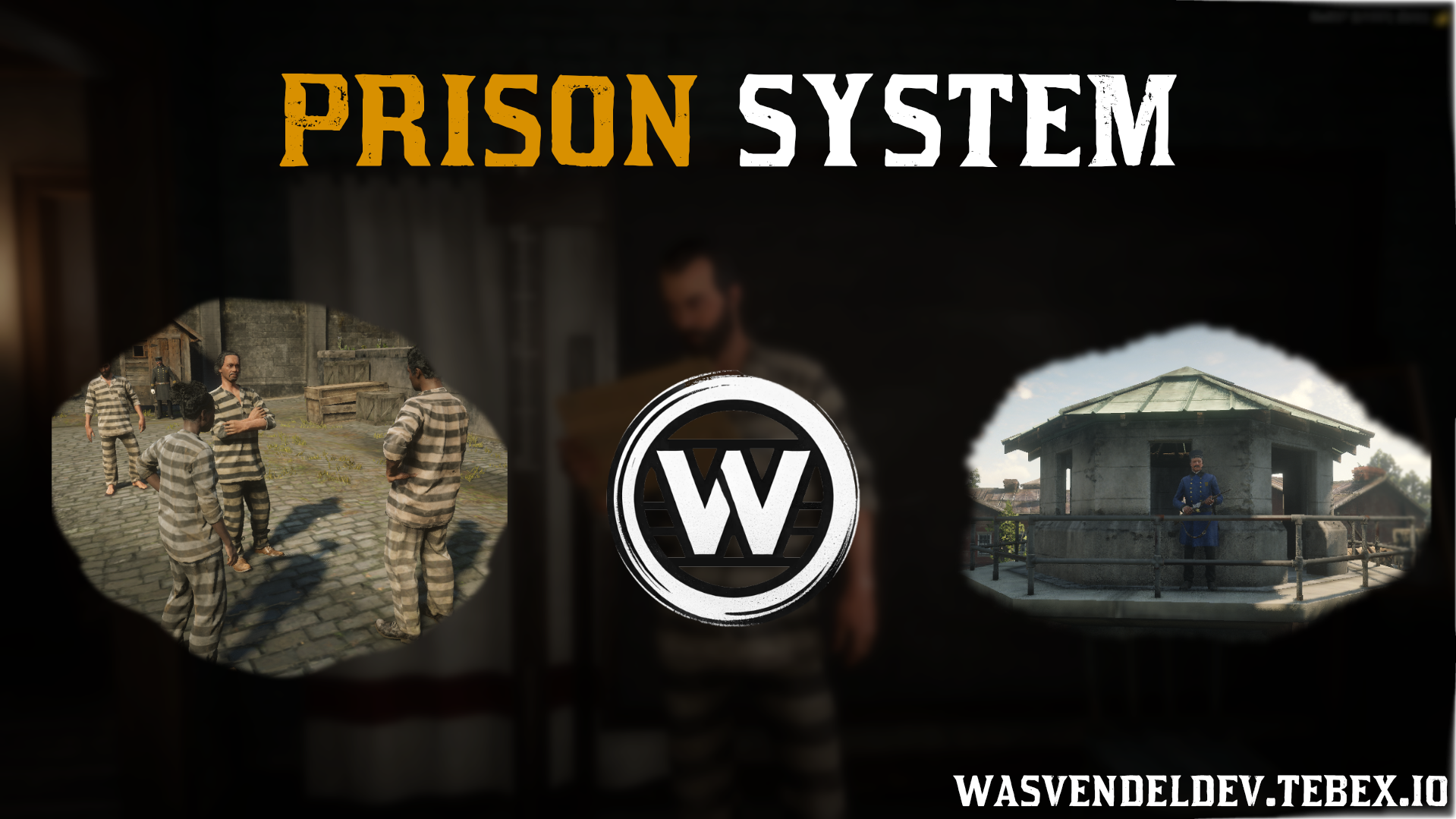
Prison system
Prison System
A complex prison system for RedM servers, designed for VORP and RSG frameworks. The system includes a wide range of configurable features to support detailed law enforcement, prison, and roleplay scenarios.
Every major setting and feature can be configured, enabled, or disabled, allowing server owners to adjust the prison system to fit their own gameplay style and server rules.
Main Features
-
Fully Configurable System – Every setting and major feature can be configured, enabled, or disabled.
-
Jail Menu – Law enforcement officers can jail players through an easy-to-use menu.
-
Admin Jail Log – Administrators can review jail records and override player decisions when needed.
-
Local and Central Prisons – Supports both local prisons and a central prison system.
-
Sentence Reduction – Configurable options for sentence reduction and release through payment.
-
Prison Jobs – Players can complete prison jobs while serving their sentence.
-
Internal Prison Hierarchy – Built-in hierarchy system for prison-related roleplay.
-
Prison Black Market – Configurable black market system inside the prison.
-
Escape System – Optional escape mechanics for advanced prison roleplay.
-
Gate System – Manage prison gates and access points.
-
Discord Logging – Discord logs are available for every important prison-related event.
Locked Files
Server-side and client-side core files are protected with CFX Escrow, while all configuration files remain fully open and editable.
Dependencies
-
SQL
-
VORP / RSG
-
vorp_inventory/rsg_inventory
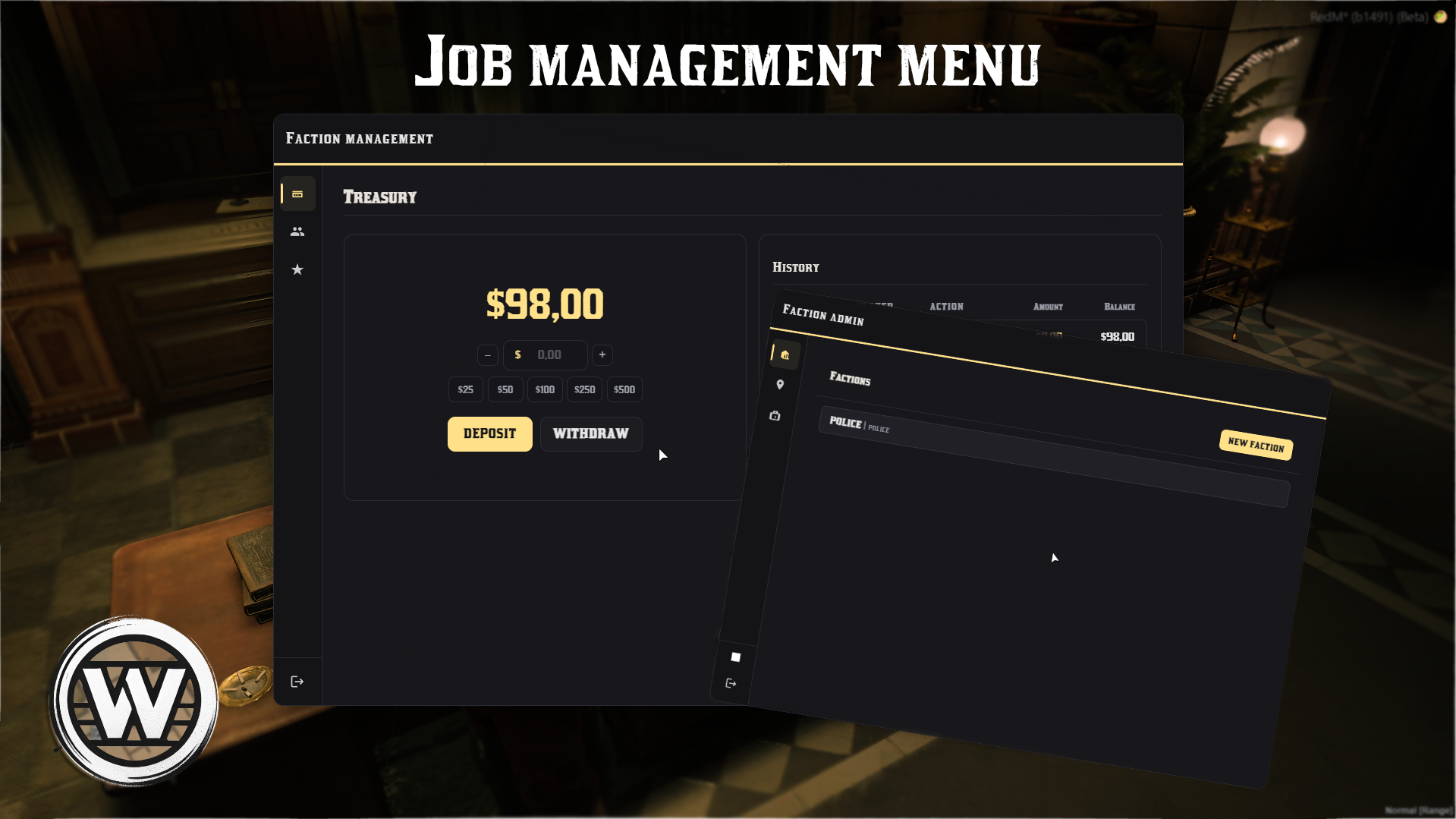
Faction management
Job Management Menu v1
A clean and intuitive faction management system for RedM servers, designed for member administration, payroll handling, faction treasury management, and storage control.
The system provides a complete boss menu experience with rank-based permissions, faction finances, member rewards, storage management, administrator tools, Discord logging, and full activity tracking.
Main Features
Management Features
-
Faction Treasury Management – Manage faction funds directly from the boss menu.
-
Treasury History – View treasury transactions and audit logs.
-
Rank Management – Create, edit, and manage faction ranks.
-
Salary Configuration – Configure salaries individually for each rank.
-
Rank-Based Permissions – Set custom permissions for different ranks.
-
Member Management – Manage faction members through an intuitive interface.
-
Bonus Payments – Award bonuses to faction members.
-
Faction Storage Management – Create and manage faction storages.
Administrator Features
-
Faction Creation – Create and configure factions.
-
Boss Menu Locations – Place and configure boss menu access points.
-
Storage Locations – Create and configure faction storage locations.
-
Storage Props / Models – Assign and customize storage props or models.
Additional Features
-
Map Markers – Authorized users and administrators can see faction-related locations on the map.
-
Discord Logging – Comprehensive Discord logs for faction interactions and actions.
-
Boss Control Panel Debug Mode – Displays faction locations with visual markers for administrators.
-
Permission-Based Access Control – Access is controlled throughout the system based on permissions.
-
Activity Tracking – Full tracking for management and administrative actions.
Locked Files
Server-side and client-side core files are protected with CFX Escrow, while all configuration files remain fully open and editable.
Dependencies
-
VORP
-
SQL
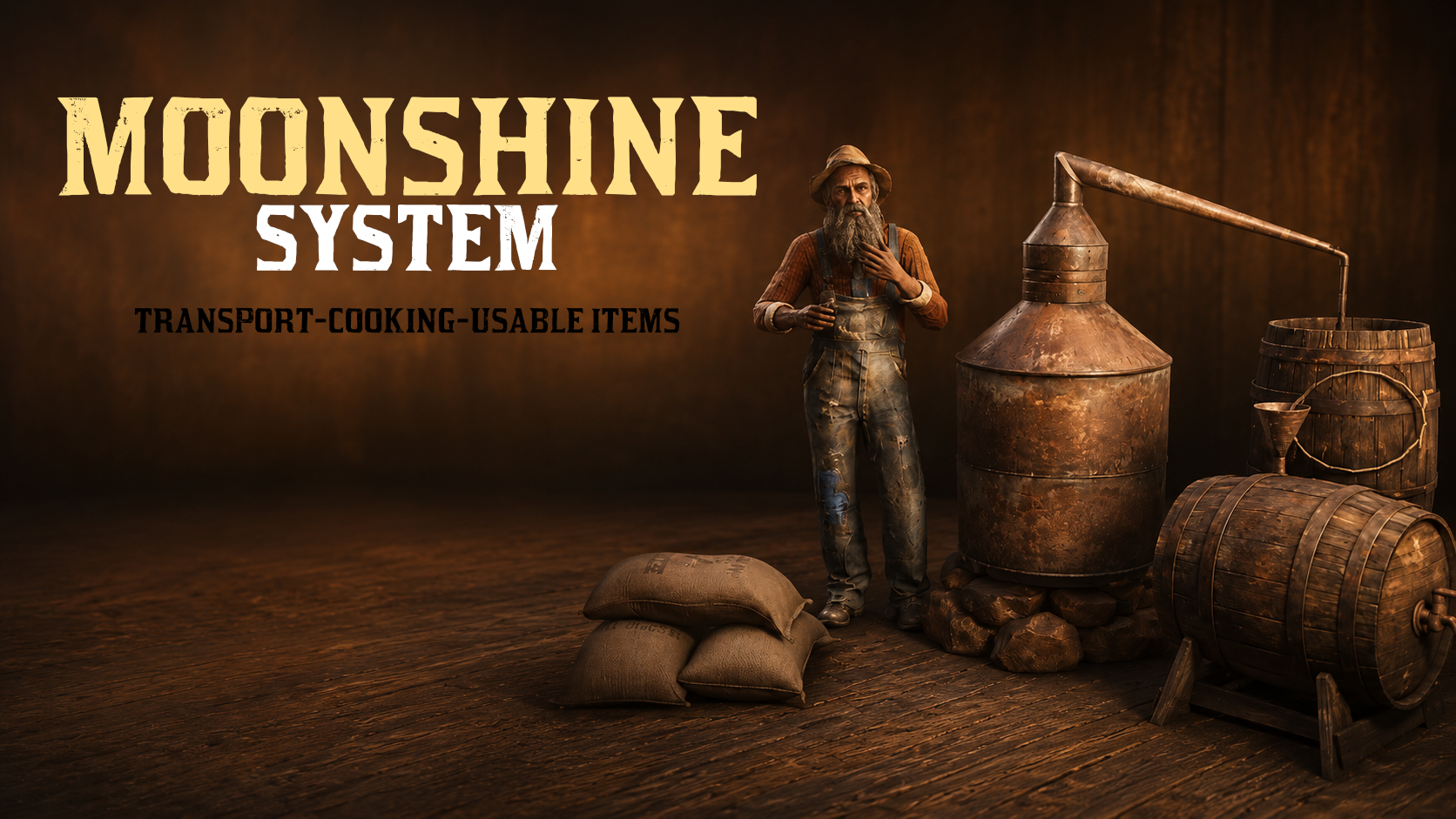
Moonshine
Moonshine System
wasvendel_moonshine is an illegal distilling system for RedM servers, designed for VORP with a clean structure, real-time brewing mechanics, and deep world interaction.
The system includes prop-based distillers, NPC shops, transport logistics, law enforcement intervention, brewing risks, shop management, and Discord logging, while remaining fully configurable through the config/ directory.
Main Features
Prop-Based Moonshine Distillers
- Tiered Distillery System – Supports multiple distiller tiers with unique models, from
still_t1tostill_t4. - Shared Job Access – Players with the same job can share access to distillers.
- Usable Items – Full VORP inventory integration with usable items.
- Database Support – OXMySQL support for persistent data handling.
- Discord Logging – Webhook logs for key moonshine-related events.
- Configurable Interaction – Prompts, animations, and UI updates can be adjusted from config files.
NPC Shop System
- Shop Locations – Create multiple NPC shop locations with map blips.
- Opening Hours – Shop availability can be tied to in-game time.
- Job-Based Access – Shops can be public, whitelisted, or blacklisted by job.
- Delivery Stock System – Includes delivery stock and depot-based logistics.
- Custom Shop Settings – Each shop can have its own pricing, inventory, descriptions, and rules.
Structured Configuration
- Transport System – Fully configurable transport and delivery mechanics.
- Brewing Mechanics – Adjust the production flow, brewing behavior, and related settings.
- Effects and Feedback – Configure visual effects, smoke behavior, and player feedback.
- Language and Notifications – Fully editable language and notification files.
- Repair Mechanics – Configure durability, maintenance, repairs, and interaction prompts.
Brewing Risks and Events
- Smoke Effects – Active distillers can produce visible smoke effects.
- Police Alerts – Deliveries can trigger law enforcement alerts.
- Law Enforcement Support – Includes police blips and notifications.
- Durability System – Distillers can lose durability after heavy use.
- Maintenance and Repairs – Players may need to maintain and repair equipment.
- Environmental Feedback – Visual and gameplay feedback improves immersion during production.
Moonshine and Flavor System
- Brewing Minigame – Production can include heat and pressure control.
- Smoke Color Feedback – Smoke color can provide feedback during the brewing process.
- World Interaction – Detailed interactions are tied directly to production.
- Storage and Logistics – Supports storage and movement between shops, depots, and transport systems.
Locked Files
Server-side and client-side core files are protected with CFX Escrow, while all configuration files remain fully open and editable.
Dependencies
- VORP
- VORP Inventory
- OXMySQL
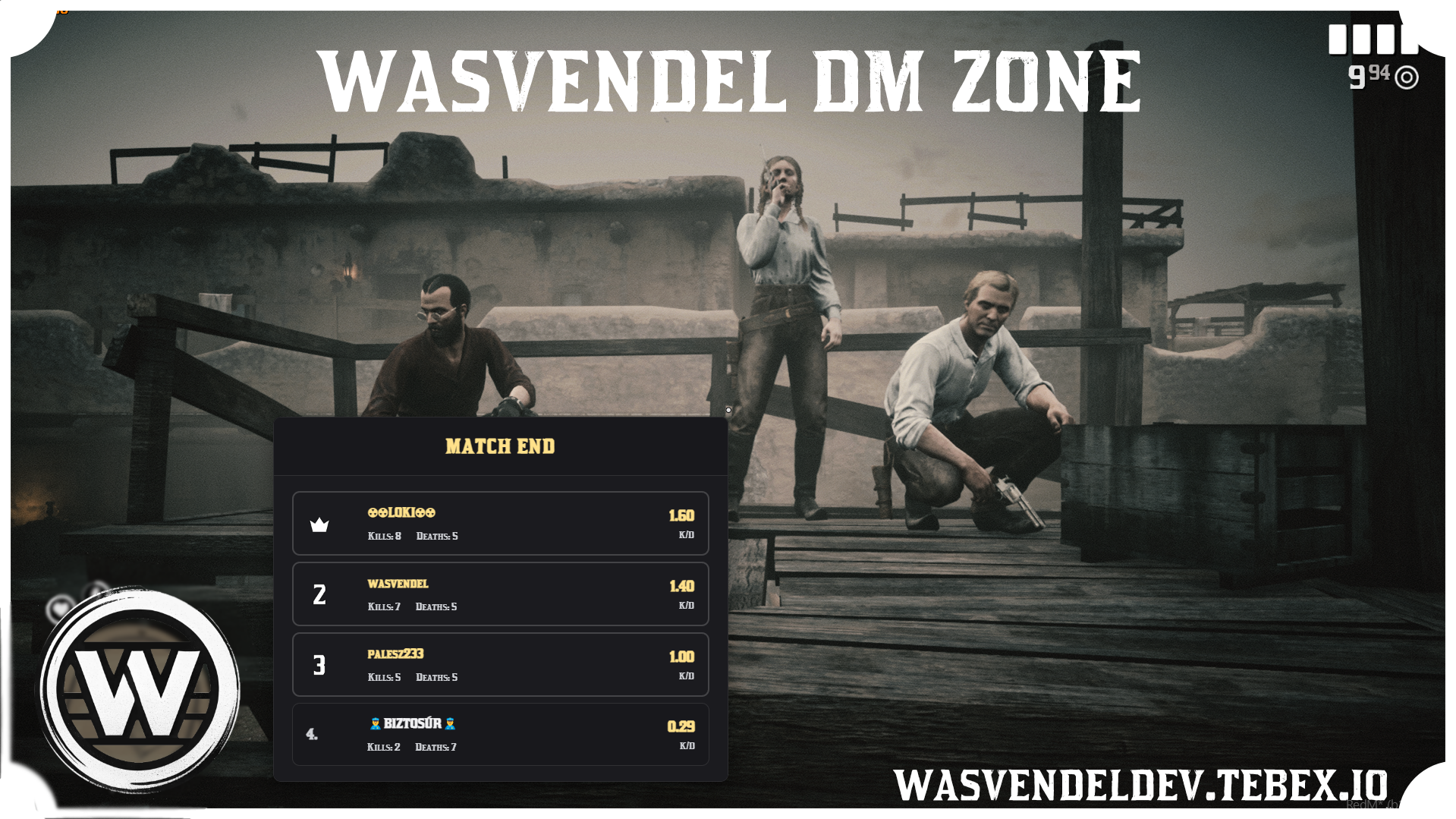
DM zone
Deathmatch Zone System
wasvendel_dmzone is a deathmatch zone system for RedM servers, designed for both VORP and RSG frameworks.
The system includes an advanced admin interface, zone management, scheduled event control, player statistics, leaderboards, loot points, respawn mechanics, teleport options, and podium-based award ceremonies.
Main Features
- Zone Management – Create and manage multiple deathmatch zones through an admin panel.
- Event Launching – Start scheduled deathmatch events by category.
- Weapon Categories – Configure different weapon categories for each zone.
- Leaderboard – Real-time leaderboard with player statistics.
- Loot System – Ammo loot points can be placed inside deathmatch zones.
- Respawn Mechanics – Customizable respawn system with distance-based visibility.
- Admin Panel – Full admin interface for zone management, events, and statistics.
- Teleport System – Teleport players between configured zones.
- Podium System – Award ceremony podium with animations for winners.
Configuration
- Configurable Texts – All displayed text can be edited from the configuration.
- Admin Commands and Permissions – Commands and access permissions can be configured.
- Respawn Settings – Respawn parameters are fully customizable.
- Loot Points and Objects – Loot locations and related objects can be configured.
- Notifications – Notification messages and behavior can be customized.
Zone Setup
- Multiple Zones – Multiple deathmatch zones can run and exist simultaneously.
- Zone Center and Radius – Configure the center point and radius for each zone.
- Respawn Positions – Set custom respawn locations for each zone.
- NPC Positions and Models – Configure NPC locations and models.
- Podium Positions – Set podium locations with related animations.
- Loot Point Configuration – Define ammo loot points inside zones.
Locked Files
Server-side and client-side core files are protected with CFX Escrow, while config.lua remains fully open and editable.
Dependencies
- VORP / RSG
Blipmanager
Blip Manager
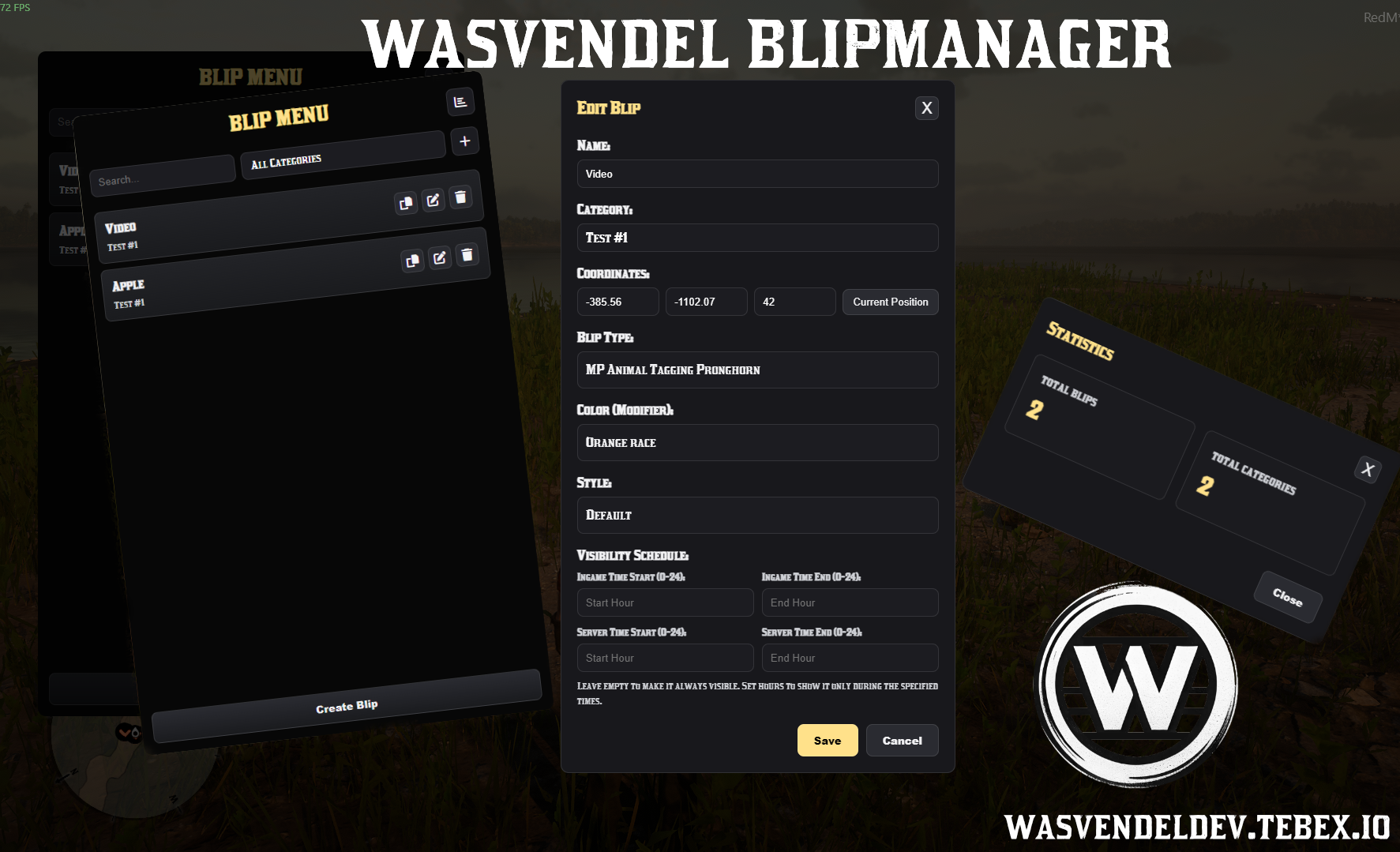
Wasvendel BlipManager is a simple and efficient blip management system for RedM servers, designed to make blip creation, customization, and administration easy through a configurable in-game menu.
The system allows administrators to manage blip settings, positions, colors, styles, modifiers, visibility duration, access permissions, and statistics from one clean interface.
Main Features
- Blip Management – Easily create, configure, and manage blips on your server.
- Custom Blip Functions – Configure and customize how blips behave.
- Coordinate Setup – Set exact blip coordinates for each location.
- Blip Colors – Adjust blip colors to match your server style or location type.
- Blip Modifiers – Apply different blip modifiers for more detailed customization.
- Visibility Duration – Define how long a blip should remain visible, based on in-game time or server time.
- Configurable Menu Command – Set the command used to open the blip configuration menu.
- Admin Rank Restrictions – Restrict access to the configuration menu based on admin ranks.
- Statistics Panel – Built-in statistics panel for available blip options.
Statistics
- 350+ Blip Types
- 150+ Styles
- 80+ Blip Modifiers
Locked Files
Server-side and client-side core files are protected with CFX Escrow, while config.lua remains fully open and editable.
Dependencies
- RSG / VORP
- SQL
Ticket system
Ticket System
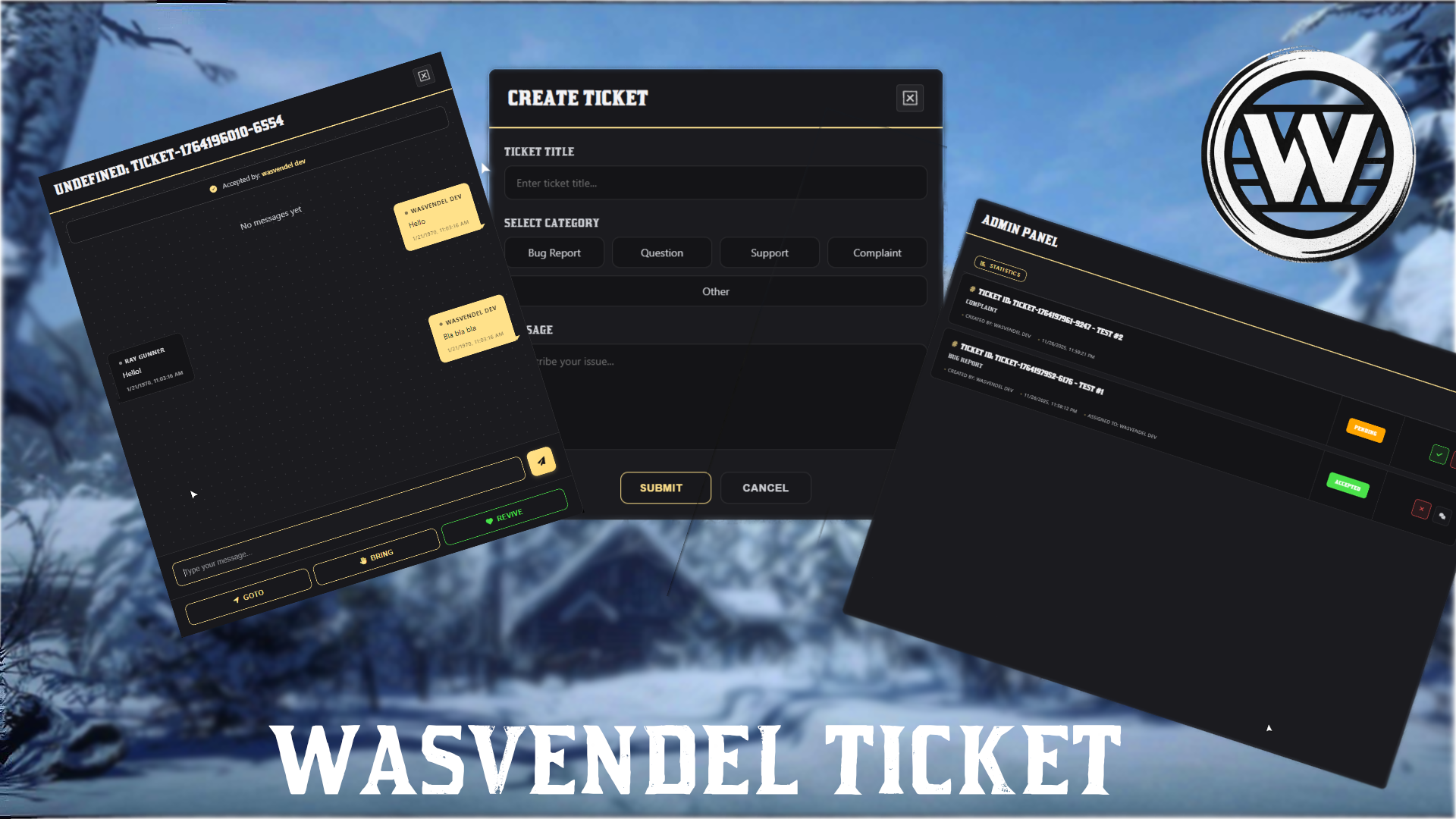
wasvendel_ticket is a professional ticket system for RedM servers, designed for both VORP and RSG frameworks.
The system includes a full-featured admin panel, real-time ticket chat, detailed statistics, admin performance tracking, ticket categories, notifications, and useful admin commands directly inside the ticket interface.
Main Features
- Ticket Creation – Players can easily create tickets using configurable categories.
- Ticket Chat System – Real-time messaging between players and administrators inside each ticket.
- Admin Panel – Comprehensive admin interface for viewing, managing, and handling tickets.
- Statistics – Detailed statistics for admin activity and performance tracking.
- Admin Commands – Use commands such as Goto, Bring, and Revive directly from the ticket chat.
- Notifications – Automatic alerts for new tickets and unread ticket messages.
Configuration
- Configurable Texts – All displayed texts can be edited from the configuration.
- Opening Options – Opening commands and keybinds can be customized.
- Permission System – All permissions are fully configurable.
- Dynamic Categories – Ticket categories can be modified easily from the config.
Default Categories
Config.Categories = {
    { id = "bug", label = "Bug Report" },
    { id = "question", label = "Question" },
    { id = "support", label = "Support" },
    { id = "complaint", label = "Complaint" },
    { id = "other", label = "Other" }
}
Locked Files
Server-side and client-side core files are protected with CFX Escrow, while config.lua and commands.lua remain fully open and editable.
Dependencies
- VORP / RSG
oxmysql
Admin Tag
Admin Tag System
wasvendel_tag is an admin tag system for RedM servers, designed for both VORP and RSG frameworks.
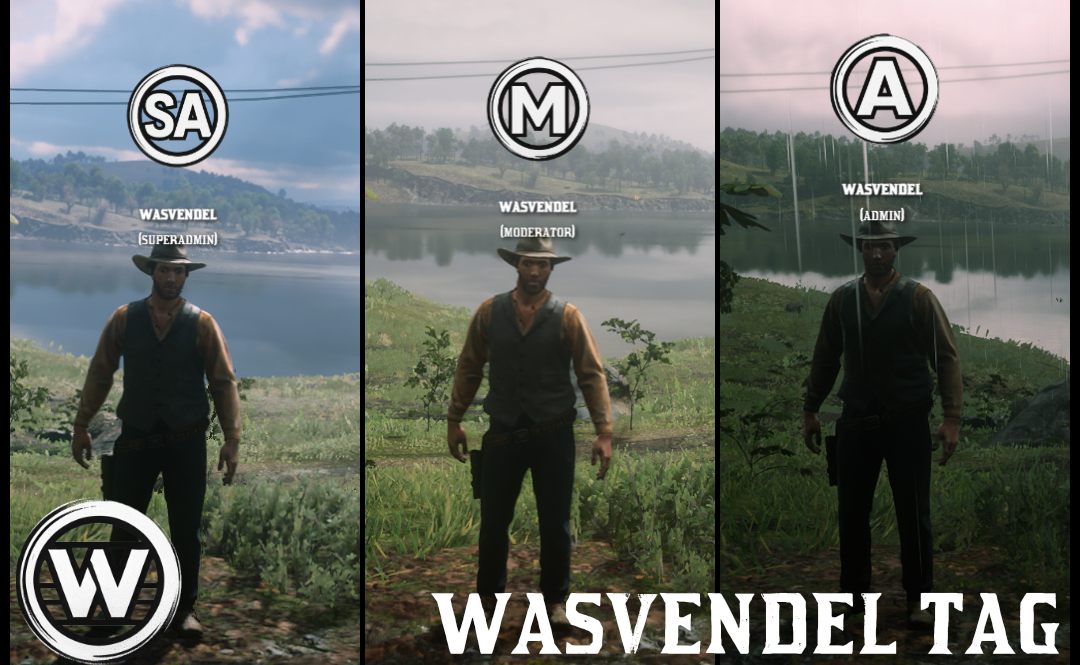
The system displays custom 3D tags above the character’s head, with automatic distance-based scaling, Steam name display, rank detection, and configurable tag images for different admin ranks.
Main Features
- 3D Tag Display – Tags appear above the character’s head in 3D space.
- Automatic Scaling – The farther away a player is, the smaller the tag appears.
- Steam Name and Rank – Automatically displays the player’s Steam name and rank.
- Rank-Based Access – Only users with ranks defined in the configuration can enable their tag.
- Visible to Everyone – When an admin enables their tag, every player can see it.
- Custom Tag Images – Each rank can have its own custom image.
Configuration
Tags can be assigned to specific ranks in the config.lua file.
Config.Tags = {
    ["admin"] = {
        image = "logo.png" -- File name from the ui/img/ folder
    },
    ["superadmin"] = {
        image = "superadmin.png"
    },
    ["moderator"] = {
        image = "moderator.png"
    },
}
Images
- Image Folder – Place tag images inside the
ui/img/folder. - Supported Formats – PNG, JPG, and JPEG are supported.
- Recommended Size – 150x150 pixels or larger is recommended.
- Transparent Background – Transparent PNG images are recommended for the best result.
- Matching File Names – Image file names must match the names defined in the configuration.
Functionality
- Rank Check – The script automatically detects the player’s rank through VORP or RSG.
- Tag Loading – If the player’s rank is listed in
Config.Tags, the assigned tag image is loaded. - Activation – Admins can use the
/tagcommand to enable or disable their tag. - Display – The tag appears in 3D above the character’s head and is visible to everyone.
- Distance Scaling – The tag automatically scales down based on distance.
Locked Files
Server-side and client-side core files are protected with CFX Escrow, while config.lua remains fully open and editable.
Dependencies
- VORP / RSG
Admin
Admin Panel System
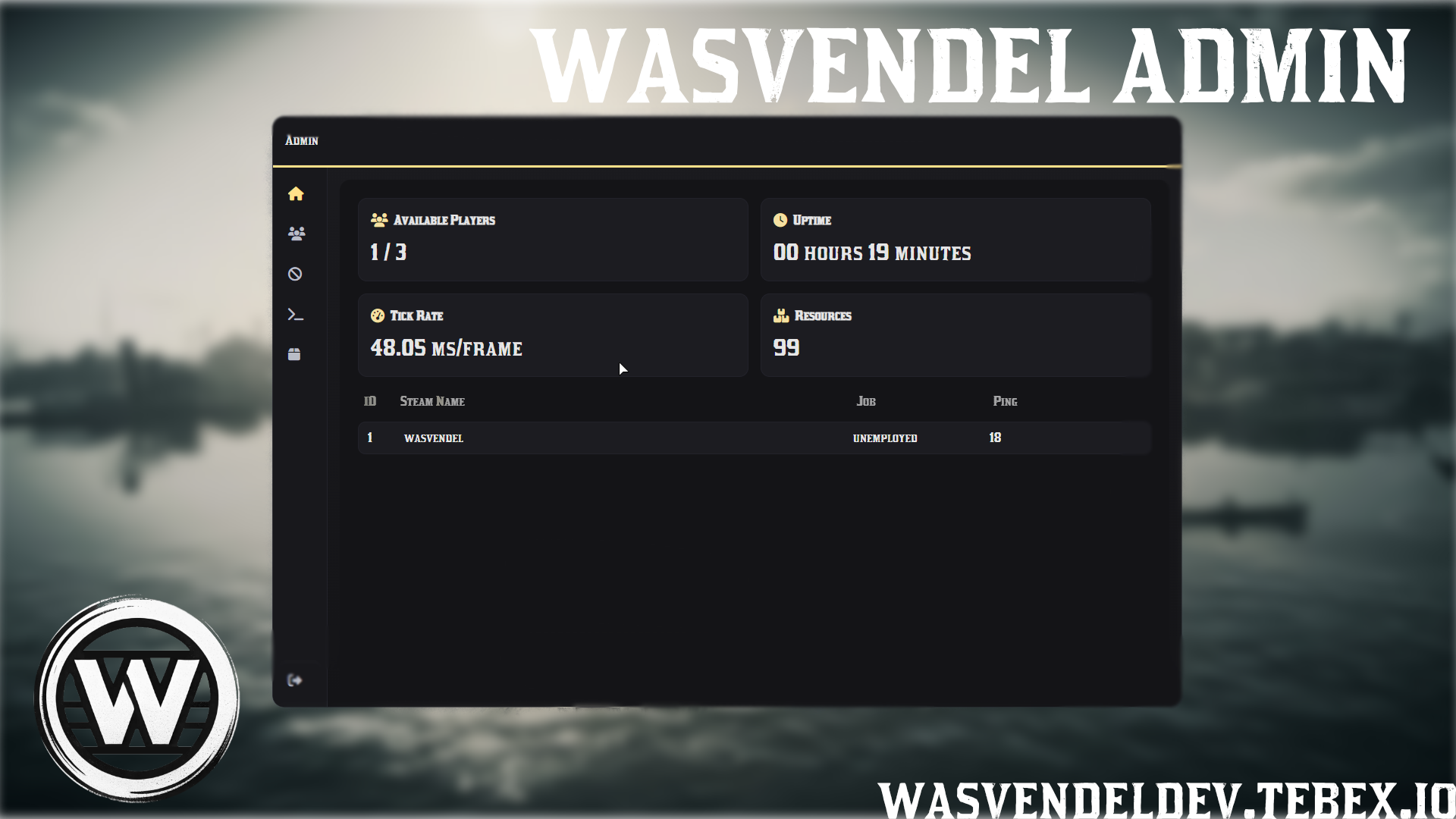
wasvendel_admin is a comprehensive admin panel solution for RedM servers, designed for staff members to manage players, execute commands, handle bans, monitor the server, and control administrative actions from one modern interface.
With a clean UI, role-based permissions, full VORP/RSG integration, configurable commands, Discord logging, spectate mode, server announcements, and developer tools, the system can be adapted to almost any administrative workflow.
Main Features
- Home Dashboard – Live server statistics, including online players, uptime, tickrate, and resource usage.
- Player Management – Search players by ID, Steam name, IC name, job, or ping.
- Detailed Player Information – View money, gold, job grade, coordinates, and identifiers such as Steam, Rockstar, and Discord.
- Admin Commands – Teleport, revive, heal, freeze, noclip, set ped, set job, manage money and items, spawn vehicles and horses, and more.
- Teleport System – Goto, bring, coordinate teleport, waypoint teleport, and predefined town teleports.
- Spectate Mode – Watch selected players in spectate mode for moderation and investigation purposes.
- Server Announcements – Send server-wide announcements directly from the admin system.
- Developer Tools – Optional devtool features for debugging, testing, and administrative development workflows.
- Ban Management – Create, edit, and remove bans through the UI, with identifier resolving, reasons, expiration tracking, ban history, and auto-refresh.
- Item Management – Browse database items, search by label or invoke, and give items with custom amounts.
- Favorites Menu – Mark frequently used commands as favorites, stored per admin in
redm.json. - Role-Based Permissions – Granular permission system with predefined roles such as Manager, Admin Controller, Super Admin, Admin, and Helper.
Control Options
- Admin Menu – Open the menu with the F1 key or the
/admincommand. - Direct Admin Commands – Admin commands can be used directly as regular commands, without any extra command prefix.
- Example Commands – Commands can be used directly depending on your configuration, such as
/revive,/goto,/bring, or other configured admin commands. - UI Player Actions – Perform player actions directly from UI buttons.
- Ban Management UI – Manage bans directly from the admin interface.
- Command Execution – Execute admin actions through the UI or by using the configured admin commands in chat.
- Configurable Bindings – Menu opening keys and command bindings are fully configurable.
Configuration Options
- Role and Permission Management – Configure staff roles and access levels.
- Custom Admin Commands – Commands can be configured with categories, fields, and validation rules.
- Town Teleports – Add or edit predefined teleport locations.
- Discord Webhook Logging – Log important administrative actions to Discord.
- Multi-Language Support – Language strings are configurable through
shared/lang.lua. - Ban Refresh Interval – Configure automatic ban list refresh timing.
- Database Item Table – Set the database item table used for item management.
- Developer Options – Enable or configure devtool-related features for testing and debugging.
Open Command Files
The commands_client and commands_server files are open, allowing server owners and administrators to freely add, edit, or customize admin commands individually.
Locked Files
Server-side and client-side core files are protected with CFX Escrow, while config.lua and lang.lua remain fully open and editable.
Dependencies
- VORP Core / RSG Core
- VORP Inventory / RSG Inventory
oxmysql

Emote menu
Emote System
wasvendel_emote is a standalone emote and animation system for RedM servers, designed to give players an easy way to access, manage, preview, and personalize animations.
With a clean user interface, favorites menu, animation preview, prop support, paired animations, configurable commands, and multilingual support, the system can be adapted to many different roleplay situations.
Main Features
- Standalone System – Works as an independent emote system without requiring a specific framework.
- Favorites Menu – Players can mark their favorite animations and access them quickly from a dedicated menu.
- Animation Preview – Animations can be previewed before starting, allowing players to see what the animation looks like first.
- Character Positioning – Configure whether players can position their character before the animation starts.
- Paired Animations – Supports interaction-based animations between players, with accept and decline options.
- Custom Categories – Create custom animation categories and organize animations for easier browsing.
- Prop Support – Props can be attached to animations and are automatically equipped when the animation starts.
- Prop Cleanup – Built-in command for removing attached props when needed.
- Customizable quick menu with 3 different designs
Control Options
- Main Menu – Open the emote menu through a command or event.
- Favorites Menu – Open the favorites menu through a command or event. (Customizable quick menu with 3 different designs)
- Stop Animation – Stop animations through a keybind or by interrupting the animation.
- Clear Props Command – Built-in function to remove attached props from the player.
Configuration Options
- Favorites Management – Configure how favorites are handled and stored.
- Category Management – Create, edit, and organize animation categories.
- Animation Settings – Configure available animations and their behavior.
- Prop Settings – Assign props to animations and configure their attachment settings.
- Commands and Keybinds – Fully configurable commands and keybinds.
- Multi-Language Support – Editable language files for multilingual servers.
Locked Files
Server-side and client-side core files are protected with CFX Escrow, while config.lua remains fully open and editable.
Dependencies
- SQL
Luckycase
Lucky Case System v2.1
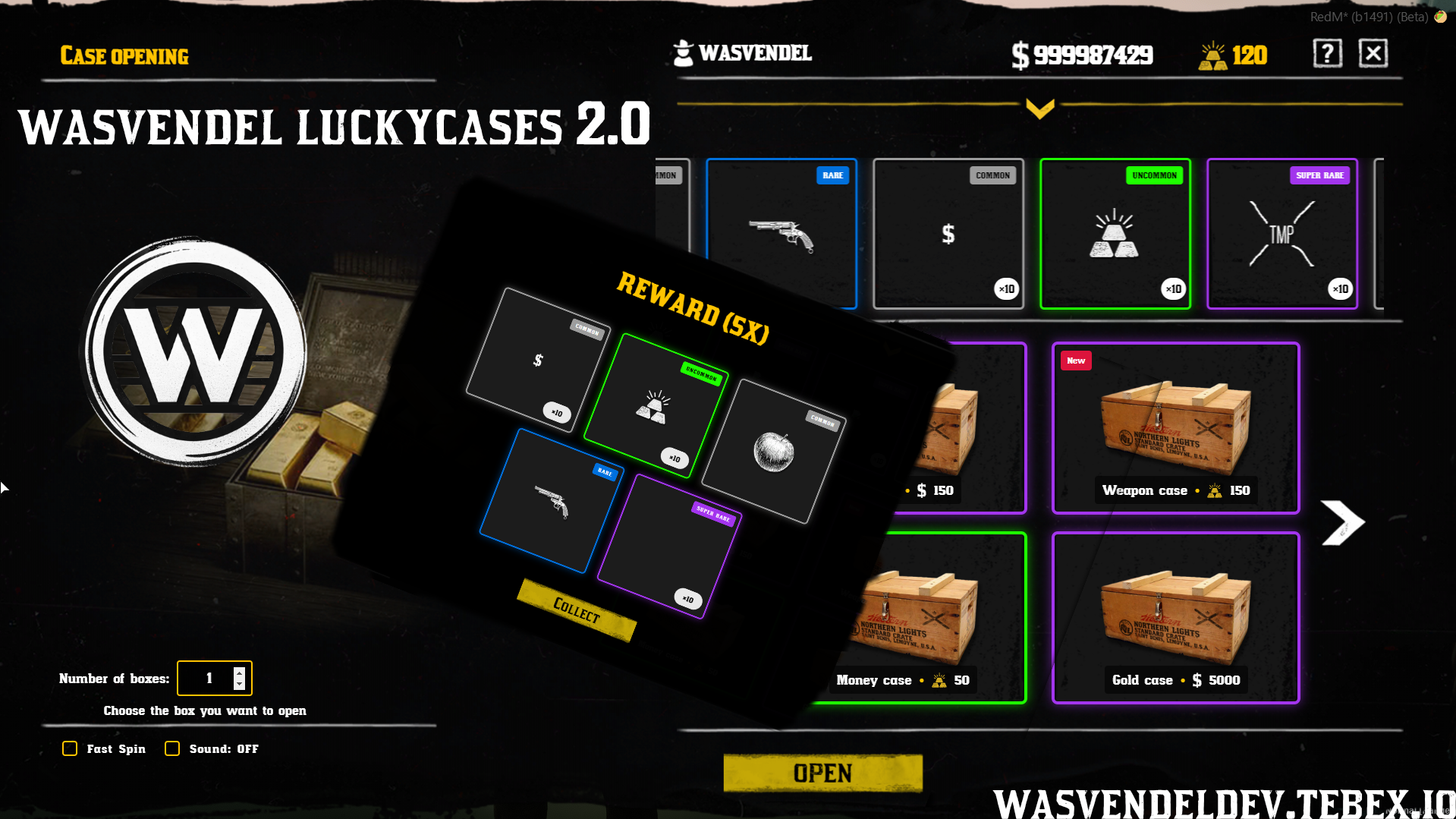
wasvendel_luckycases is a customizable case opening and reward system for RedM servers, designed to add progression, reward excitement, and a smooth animated draw interface.
The system supports weighted rewards, rarity tiers, multiple opening options, guaranteed reward tiers, different purchase methods, item-based cases, Discord logging, and a clean responsive UI with animations and sounds.
Main Features
- Weighted Reward System – Each reward can have its own configurable drop chance.
- Tier System – Includes five rarity tiers: Common, Uncommon, Rare, Super Rare, and Super Special Rare.
- Custom Tier Settings – Rarity colors and drop rates can be customized from the configuration.
- Multiple Box Opening – Players can open 1 to 100 boxes at once with a single click.
- Guaranteed Tier System – Configure guaranteed rarities for specific box amounts, such as a Rare reward after opening 10 boxes.
- Two Spin Modes – Switch between normal and fast roll modes.
- Multiple Purchase Methods – Boxes can be purchased with money, gold, items, roles, or a custom coin system.
- Item-Based Cases – Supports lootboxes that can be opened directly from the player inventory.
- Smooth Animations and Sounds – Polished roll animations with sound effects for a better opening experience.
- Clean Responsive UI – Modern interface with hover effects, item images, and clear reward display.
- Multiple Reward Types – Supports items, weapons, money, gold, and custom events.
- Multi-Reward Display – Grid view for multiple rewards with rarity indicators.
- Discord Logging – Automatic reward logging through a configurable Discord webhook.
- Rules Window – Optional in-UI rules display for server-specific case rules.
- Full Language Support – All UI text can be configured through
Config.Lang. - Visual Tier Indicators – Colored borders and badges based on reward rarity.
Configuration Options
- Reward Chances – Configure individual drop chances for each reward.
- Rarity Tiers – Customize tier names, colors, and rates.
- Guaranteed Rewards – Set guaranteed rarity rules for specific opening amounts.
- Opening Modes – Configure normal and fast spin behavior.
- Purchase Methods – Configure money, gold, item, role, or custom coin based access.
- Reward Types – Define items, weapons, currency, or custom event rewards.
- Discord Webhook – Configure reward logging through Discord.
- Language Settings – Edit all displayed text through the language configuration.
Important Notes
- Platform Compliance – The
wasvendel_luckycasessystem does not contain or support functionality that violates the Rockstar Creator Platform License Agreement. - No Real-Money Lootbox Sales – The system does not natively allow the sale of lootbox-type items for real-world currency, cryptocurrency, or any convertible in-game currency.
- Internal Use Only – All mechanics are designed strictly for internal, non-monetary in-game use only.
- Framework Currency Handling – On VORP Core, the system uses the default character money and gold values. On RSG, it uses the character’s default money and bloodmoney values.
Locked Files
Server-side and client-side core files are protected with CFX Escrow, while config.lua remains fully open and editable.
Dependencies
- VORP Core / RSG Core
- VORP Inventory / RSG Inventory
- SQL
Blackmarket
Blackmarket System
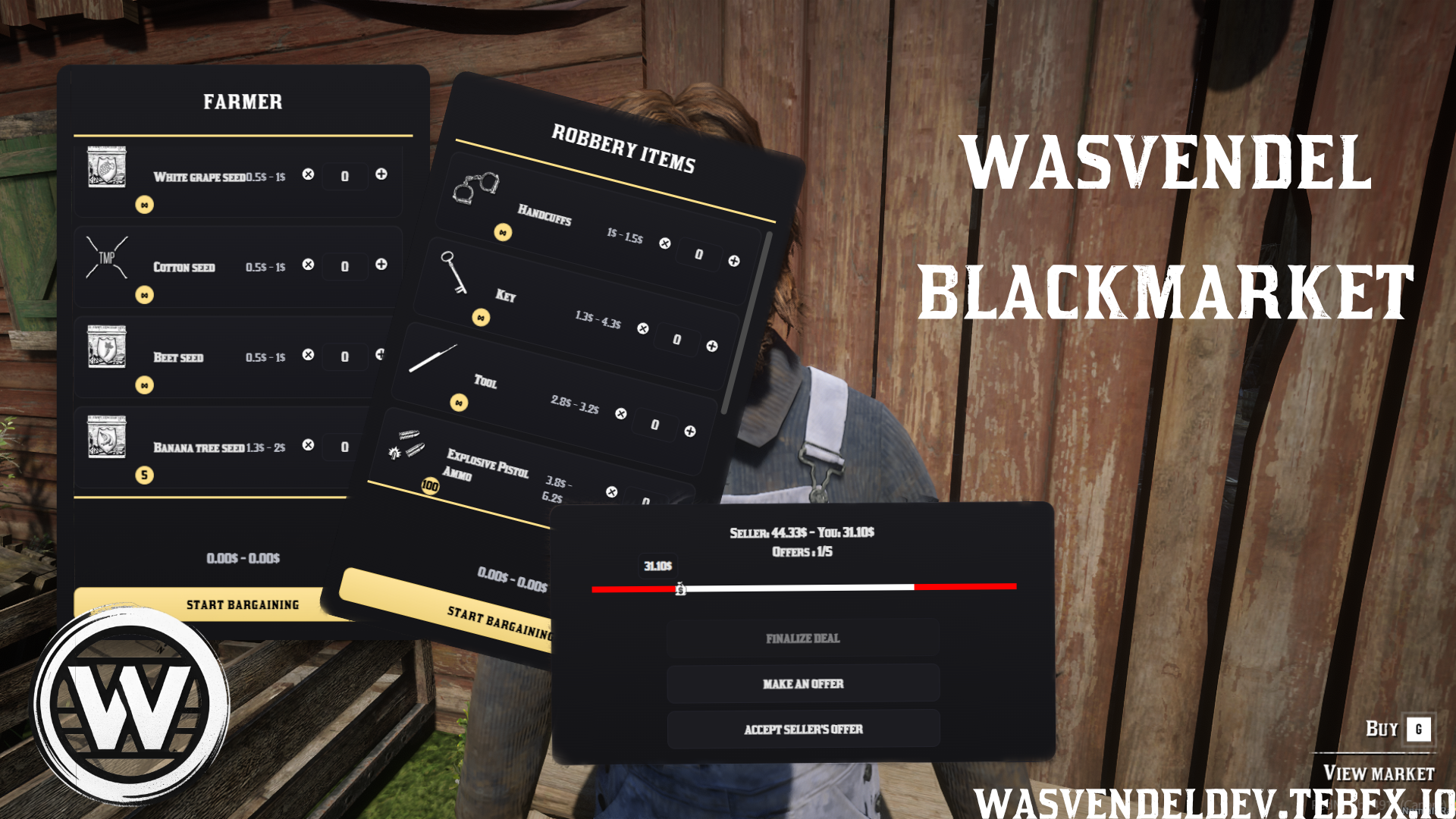
wasvendel_blackmarket is a fully configurable blackmarket system for RedM servers, designed for creating custom illegal buying and selling points with NPCs, dynamic pricing, optional bargaining, item limits, and immersive map-based risk mechanics.
The system allows server owners to configure shop locations, NPC behavior, opening hours, job restrictions, bargaining rules, item limits, webhook logging, custom notifications, buyer visibility, random shop positions, and integration with wasvendel_sellshop v2.
Main Features
- Custom Shop Positions – Create blackmarket locations using exact coordinates.
- Custom Blips – Configure blip type, name, and display behavior for each shop.
- NPC Configuration – Set NPC model, position, heading, and animation.
- Opening Hours – Configure shop availability based on in-game time or real/server time.
- Job Whitelist – Restrict access to specific jobs when needed.
- Min/Max Item Prices – Define minimum and maximum prices for each item.
- Random Shop Positions – Shop locations can change based on server time or in-game time.
- Sellshop Integration – Supports
wasvendel_sellshop v2integration, allowing two shop systems to work in one location.
Bargaining System
- Optional Per Shop – Bargaining can be enabled or disabled individually for each shop.
- Offer Limit – Configure how many offers a player can make.
- Bargaining Flexibility – Set the maximum percentage the NPC is willing to negotiate down to.
- Auto-Accept Margin – Configure the margin where the NPC automatically accepts the buyer’s offer.
- Random Counter-Offers – NPCs can respond with randomized counter-offers.
- Offer Cooldown – Add cooldowns between bargaining attempts.
- Per-Player Offer Limits – Limit the number of offers each player can make.
Item Limit System
- Purchase Limits – Define how many of each item can be purchased.
- UI Limit Display – Item limits are displayed directly in the shop interface.
- Automatic Limit Reduction – Limits automatically decrease after each purchase.
- Limit Reset Options – Item limits can reset periodically or after server/script restart.
Additional Features
- Webhook Support – Log blackmarket activity through webhook support.
- Custom Notification Support – Integrate the system with your own notification resource.
- Job Notifications – Trigger notifications to a specific job after a successful sale.
- Buyer Map Visibility – Optionally make the buyer visible on the map after a transaction.
- Custom Visibility Blips – Configure individual blips or radius-based blips for buyer visibility.
- Dynamic Shop Behavior – Create more immersive blackmarket activity with time-based locations and configurable NPC interaction.
Configuration Options
- Shop Coordinates – Configure exact blackmarket locations.
- Blip Settings – Customize blip type, name, and display behavior.
- NPC Settings – Configure NPC model, position, heading, and animation.
- Opening Time Settings – Use in-game time or server time for shop schedules.
- Job Access – Configure job whitelist restrictions.
- Price Rules – Set min/max prices and bargaining rules per item.
- Item Limits – Configure purchase limits and reset behavior.
- Notification Settings – Configure custom notifications and job alerts.
- Map Visibility Settings – Configure buyer visibility, blips, and radius-based markers.
Locked Files
Server-side and client-side core files are protected with CFX Escrow, while config.lua remains fully open and editable.
MDT
MDT System v2
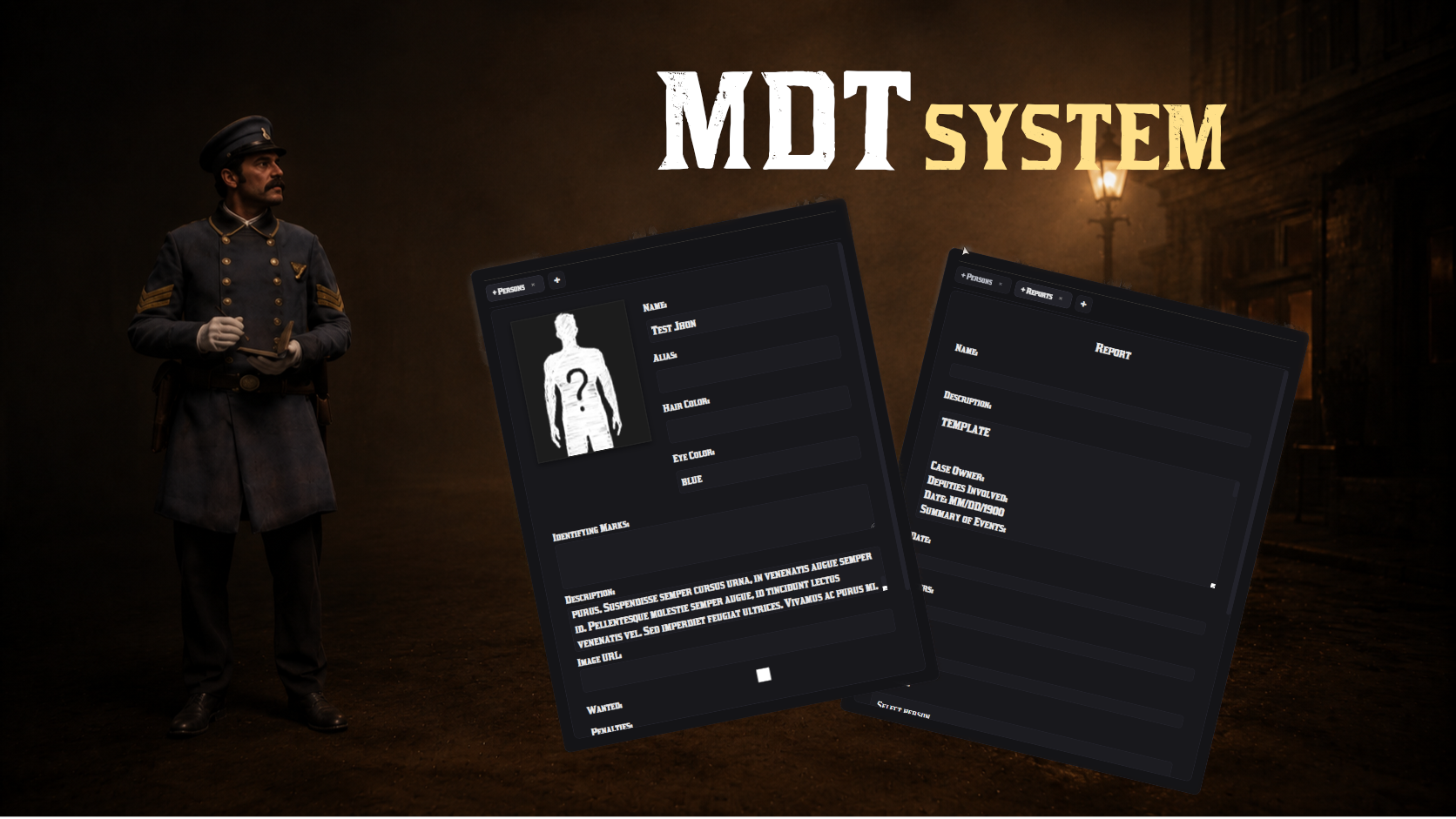
wasvendel_mdt is a clean and efficient Mobile Data Terminal system for RedM servers, designed for law enforcement roleplay.
The system helps law enforcement manage persons, reports, charges, warrants, bounty board entries, prison-related actions, and Discord logs through a fast, clear, and immersive interface without unnecessary clutter.
Main Features
- Person Management – Create and manage persons with detailed profile data.
- Report System – File detailed reports with image support and tags.
- Automatic Report Numbering – Reports are automatically numbered for easier tracking.
- Custom Report Templates – Import custom report templates from external files.
- Preconfigured Charges – Attach predefined charges to reports.
- Jail Time and Fines – Charges can include jail time and fine amounts.
- Charge Summary – Charges are summarized directly on the person’s profile.
- Multiple Charges – The same charge can be added multiple times when needed.
- Sorted Report List – Newly created reports appear at the top of the list.
- Warrant System – Issue warrants that appear live on bounty boards.
- Prison System Integration – Supports integration with the Wasvendel Prison System for prison-related roleplay workflows.
- Search System – Easily search through persons and reports.
- Discord Logging – Track MDT activity and changes through Discord logs.
- Access Control – Configure which jobs or users can access the MDT.
- Flexible Opening Methods – Choose how the MDT opens, such as item, command, tablet/tab option, or custom method.
- Tab / Tablet Option – Optional tablet-style access can be configured for a more immersive MDT experience.
- Custom Framework Support – Supports custom framework configuration for advanced setups.
Configuration Options
- Access Settings – Configure who can use the MDT.
- Opening Method – Set whether the MDT opens through an item, command, tablet/tab option, or other custom method.
- Report Templates – Add custom report templates from external files.
- Charge Settings – Configure predefined charges, jail time, and fines.
- Prison Integration Settings – Configure integration options with the Wasvendel Prison System.
- Discord Webhooks – Configure logging for MDT activity.
- Framework Settings – Configure VORP, RSG, or custom framework support.
Performance and Design
- Fast Loading – Optimized for quick access during active roleplay.
- Visual Clarity – Clean layout designed for easy reading and fast navigation.
- Roleplay Focused – Built for serious law enforcement, bounty, and prison-related roleplay communities.
Dependencies
- VORP / RSG / Custom Framework
- SQL
- Wasvendel Prison System – optional integration
Sellshop
Custom Sellshop System
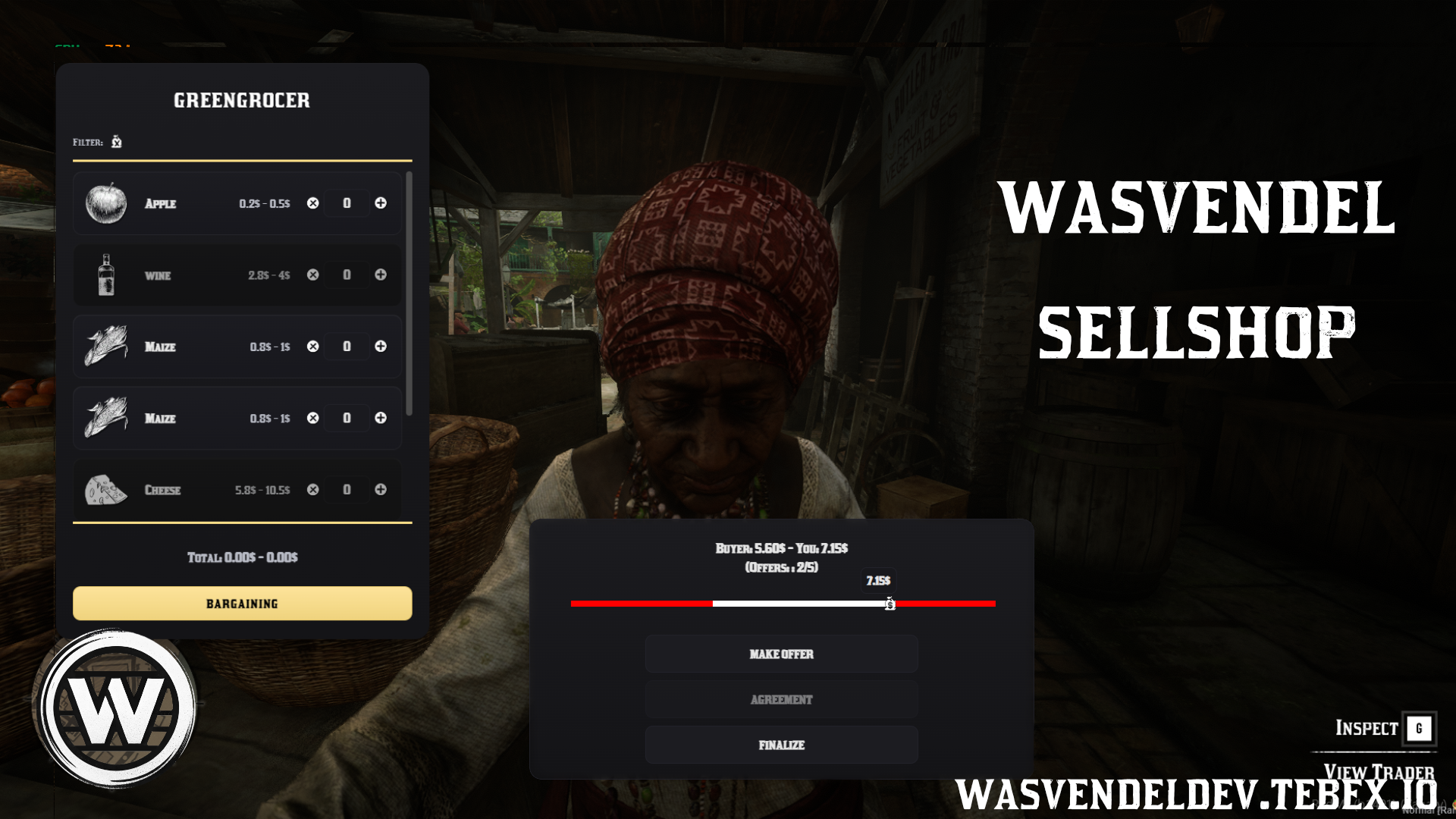
Custom Sellshop System is a fully configurable NPC-based selling system for RedM servers, designed for creating advanced sell points with detailed shop settings, job restrictions, custom prices, optional bargaining, and dynamic world interaction.
The system allows server owners to create immersive sell locations with custom NPCs, blips, opening hours, item pricing, webhook logging, job notifications, map visibility options, and optional integration with wasvendel_blackmarket v2.
Main Features
- Custom Sell Locations – Create sell points using custom coordinates.
- Custom Blips – Configure blip name, icon, and visibility for each shop.
- NPC Configuration – Choose NPC model, animation, and heading.
- Opening Hours – Set shop availability based on in-game time or server time.
- Job Restrictions – Restrict access using job whitelists.
- Item Price Settings – Configure minimum and maximum prices for each sellable item.
- Random Shop Position – Shop positions can change based on server time or in-game time.
- Blackmarket Integration – Supports
wasvendel_blackmarket v2integration, allowing two shop systems to work in one location.
Bargaining System
- Optional Per Shop – Bargaining can be enabled or disabled individually for each shop.
- Offer Limits – Configure the maximum number of allowed offers.
- Price Difference Limit – Set the maximum allowed price difference percentage.
- Auto-Accept Margin – Configure when the NPC should automatically accept an offer.
- Random Counter-Offers – NPCs can respond with random counter-offers.
- Offer Cooldown – Add cooldowns between bargaining attempts.
- Per-Player Limits – Limit the number of offers each player can make.
Additional Features
- Webhook Logging – Log sellshop actions through webhook support.
- Custom Notification Support – Integrate the system with your own notification resource.
- Job Notifications – Trigger notifications to a specific job after a successful sale.
- Buyer Map Visibility – Optionally make the buyer visible on the map after selling.
- Custom Visibility Blips – Configure individual blips or radius-based blips for buyer visibility.
- Dynamic Shop Behavior – Create more immersive sell points with time-based locations and configurable NPC interactions.
Configuration Options
- Shop Coordinates – Configure exact sellshop locations.
- Blip Settings – Customize blip names, icons, and display behavior.
- NPC Settings – Configure NPC model, heading, animation, and placement.
- Opening Time Settings – Use in-game or server time for shop schedules.
- Job Access – Configure job whitelist restrictions.
- Price Rules – Set min/max prices and bargaining limits per item.
- Notification Settings – Configure custom notifications and job alerts.
- Map Visibility Settings – Configure buyer visibility, blips, and radius-based markers.
Dependencies
- VORP / RSG
Showcase
Showcase available soon.
Dispatch
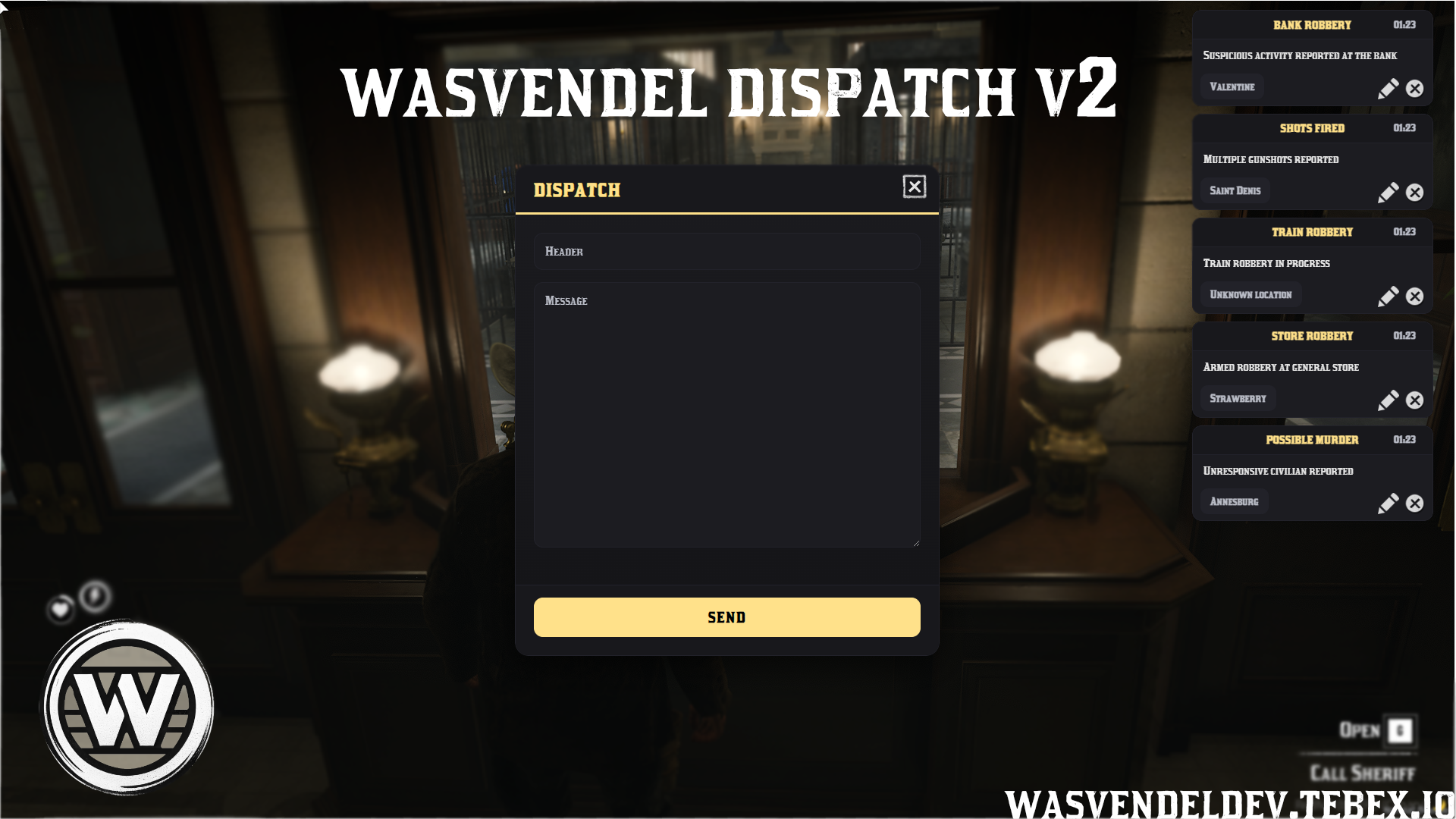
Dispatch System v2.1
wasvendel_dispatch is a highly customizable notification and alert system for RedM servers, designed to make sure the right job roles receive important alerts quickly and efficiently.
With targeted job notifications, automatic map blips, a clean minimalistic UI, configurable alert settings, movable interface elements, and player-adjustable notification sounds, the system provides smooth and transparent communication for roleplay scenarios.
Main Features
- Targeted Notifications – Notifications are sent only to the selected job or jobs, ensuring that only relevant players receive the alert.
- Map Blip Integration – Each notification can automatically create a map marker showing the exact location of the event.
- Clean UI Presentation – Alerts are displayed in a minimalistic and easy-to-read interface that does not interrupt gameplay.
- Customizable Control Panel – Includes a configurable panel for managing notifications and adjusting system settings.
- Notification Message Editing – Notification text can be edited to match server-specific needs.
- Notification Toggle Options – Individual notification types can be enabled or disabled when needed.
- Movable UI Elements – UI elements can be repositioned freely on the screen.
- Blip Synchronization – When a notification is deleted, the related map blip is automatically removed for all players.
- Custom Entry Animation – Notification animations can slide in from either the right or left side of the screen.
- Player Sound Settings – Players can individually adjust their notification sound effects.
Configuration Options
- Job Targeting – Configure which jobs receive specific notification types.
- Notification Messages – Customize the text and content of alerts.
- Blip Settings – Configure map blip behavior for dispatch notifications.
- UI Positioning – Adjust and move notification interface elements.
- Animation Settings – Configure the direction and behavior of notification entry animations.
- Sound Settings – Allow players to configure notification sound behavior individually.
- Notification Toggles – Enable or disable specific alert types from the configuration.
Locked Files
Server-side and client-side core files are protected with CFX Escrow, while config.lua remains fully open and editable.
Showcase
Showcase available soon.
Crafting
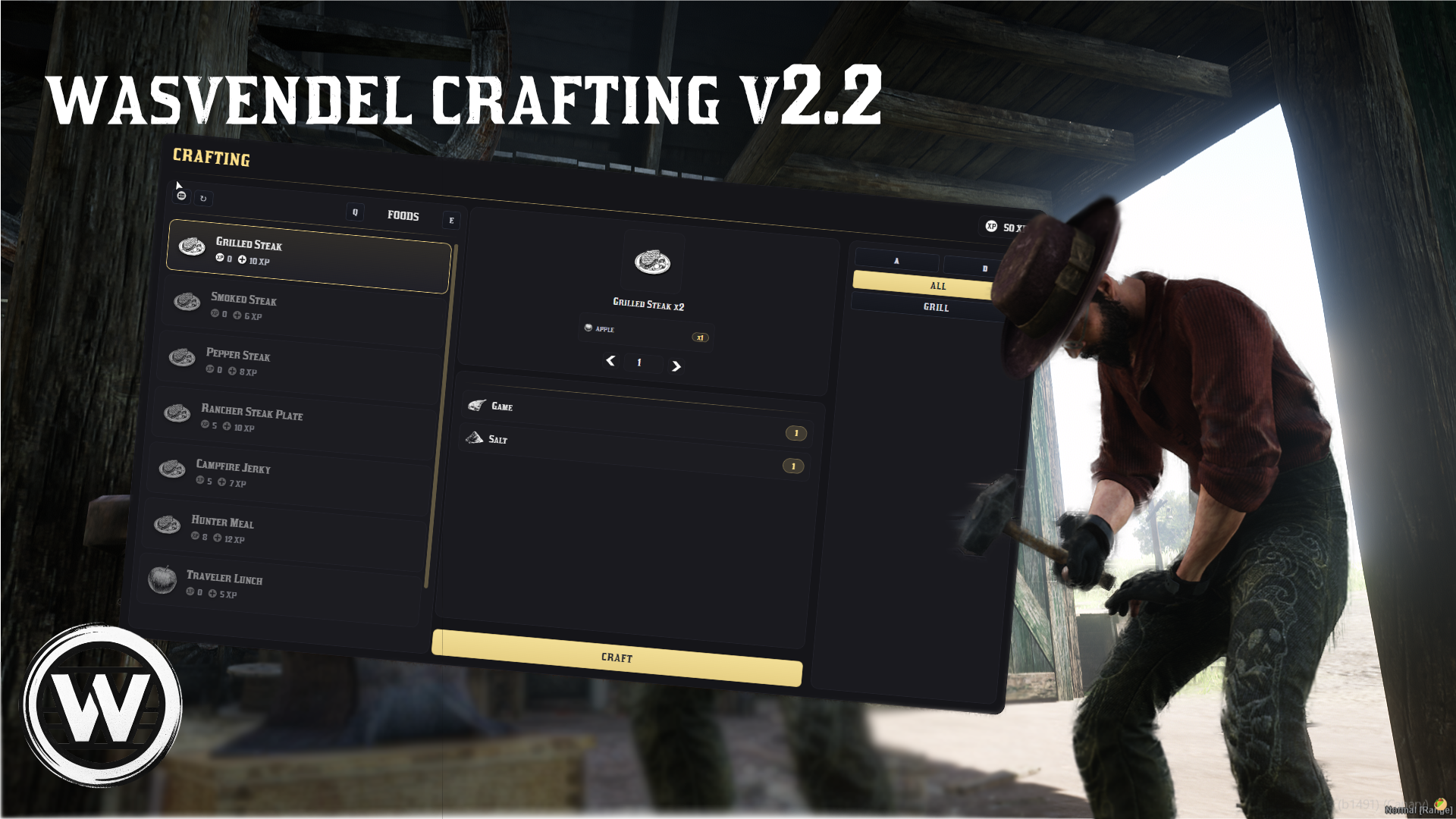
Crafting System v2.2
wasvendel_crafting is an advanced crafting menu system for RedM servers, designed for the VORP framework.
The system offers a clean interface, powerful category and subcategory management, multicharacter support, EXP progression, location-based crafting, prop-based crafting, job-locked recipes, Discord logging, optimized performance, and easy configuration.
Main Features
Organization
- Category System – Create custom crafting categories.
- Subcategories – Organize recipes into subcategories for a cleaner structure.
- Smart Visibility – Only non-empty categories are shown in the menu.
- Structured Menu – Clear and easy-to-use crafting interface.
Crafting Locations
- Coordinate-Based Crafting – Set crafting locations at predefined coordinates.
- Prop-Based Crafting – Link crafting stations to specific objects or props.
- Multiple Crafting Setups – Create different crafting points for different gameplay needs.
Configuration Options
- In-Game Time Restrictions – Restrict crafting based on in-game server time.
- Real-Time Restrictions – Restrict crafting based on real-life time.
- Job-Based Restrictions – Lock recipes or crafting locations to specific jobs.
- Steam ID Restrictions – Restrict access to specific players by Steam ID.
- Crafting Time – Configure crafting duration individually per recipe.
Map Indicators
- Location Blips – Simple blip setup for specific crafting locations.
- Radius Blips – Circular area display for larger crafting zones.
- Job-Based Blip Visibility – Show blips only to selected jobs.
Player Visibility
- Map Visibility After Crafting – Optionally make the player visible on the map after crafting.
- Configurable Duration – Set how long the player remains visible.
XP System
- Optional XP Progression – The XP system can be enabled or disabled.
- Crafting XP Rewards – Configure XP rewards after successful crafting.
- XP Requirements – Set required XP levels for specific recipes.
- SQL XP Storage – XP is saved in a custom SQL table.
Animations
- Custom Crafting Animations – Supports custom animations during crafting.
- Per-Setup Animations – Create and assign unique animations for different crafting setups.
Additional Features
- Weapon Compatibility – Supports crafting weapons.
- Metadata Support – Crafted items can include metadata.
- Reward Quantity Display – Reward item quantities are shown directly in the interface.
- Inspectable Unavailable Recipes – Players can view unavailable recipes and see the required materials.
- Dynamic Craft Button – The craft button is disabled when requirements are not met, with reason display.
- Optional Greyed-Out Recipes – Unavailable recipes can be shown as greyed out.
- Material-Based Filtering – Filter recipes based on available materials.
- Mouse and Keyboard Navigation – Full support for both mouse and keyboard controls.
- Multicharacter Support – Designed for multicharacter servers.
- Cancelable Progress Bar – Crafting progress can be canceled if enabled.
- Control Disabling – Configure which controls are disabled while crafting.
- Optimized Performance – Built with low resmon usage in mind.
- Discord Logging – Crafting actions can be logged through Discord webhooks.
- Easy Configuration – Main settings can be edited from the configuration file.
Locked Files
Server-side and client-side core files are protected with CFX Escrow, while config.lua remains fully open and editable.
Dependencies
- VORP Core
- SQL
Showcase
Showcase available soon.
Calendar
Advent Calendar Script
Advent Calendar Script is a seasonal reward system for RedM servers, designed for the VORP framework.
The system allows players to open daily calendar rewards, supports regular and premium calendar access, stores claimed days in SQL, and provides a clean animated UI for an engaging holiday experience.
Main Features
- Daily Rewards – Players can claim unique rewards for each calendar day.
- Customizable Rewards – Rewards can be fully configured from the config file.
- Multiple Reward Types – Supports gold, money, weapons, and items.
- SQL Tracking – Opened calendar days are saved per player in the database.
- Anti-Duplicate Claim System – Prevents players from claiming the same day multiple times.
- Premium Calendar – Includes a dedicated premium calendar with exclusive rewards.
- Steam ID Based Premium Access – Premium access can be granted to specific players through SQL using their Steam ID.
- Dynamic User Interface – Clean and easy-to-use advent calendar UI.
- Smooth Animations – Animated transitions for a better player experience.
Configuration Options
- Reward Setup – Define rewards for each calendar day.
- Reward Types – Configure gold, money, weapon, and item rewards.
- Premium Access – Manage premium calendar access through SQL.
- Calendar Settings – Adjust calendar behavior from the configuration file.
Compatibility
- VORP Framework
Locked Files
Server-side and client-side core files are protected with CFX Escrow, while config.lua remains fully open and editable.
Dependencies
- VORP
- SQL
Store
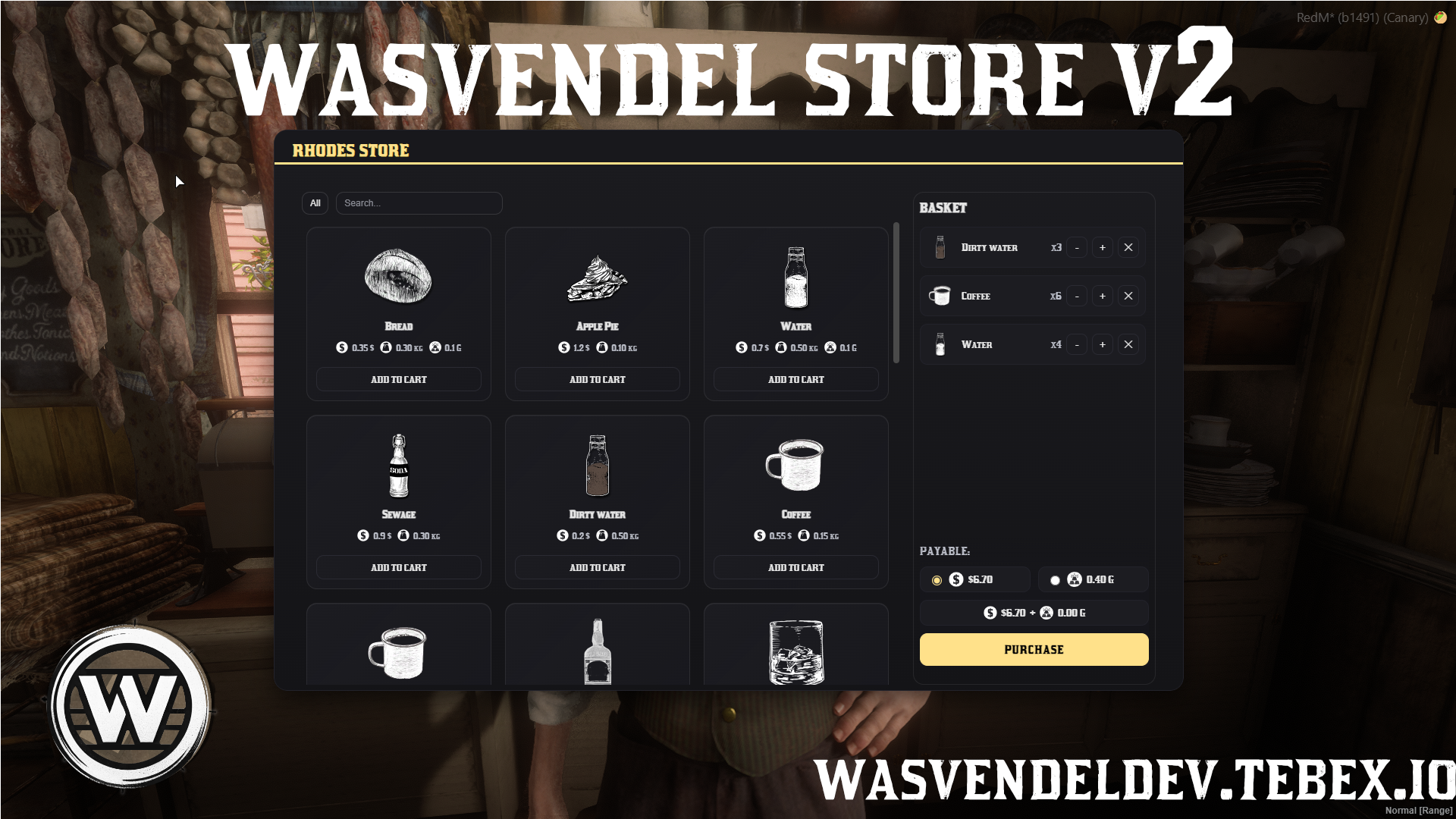
Store System 2.0
wasvendel_store is a clean, fast, and highly configurable shop system for RedM servers, designed with full VORP and RSG compatibility.
The system focuses on a smooth user interface, reliable purchasing, flexible payment handling, shop-specific categories, NPC interaction, and easy configuration through open config files.
Main Features
- Full VORP / RSG Compatibility – Designed to work with both VORP and RSG frameworks.
- Flexible Payment System – Supports cash and gold on VORP, or blood money on RSG.
- Currency Restrictions – Each item can be restricted to specific payment currencies.
- Mixed Cart Handling – Automatically handles carts containing items with different payment types and applies the correct deductions.
- Smart Cart UI – Hidden currencies are ignored, and mixed payment options are displayed clearly when needed.
- Shop-Specific Categories – Only the categories available in the current shop are shown to the player.
- NPC Camera Interaction – When enabled, the camera zooms in on the NPC before opening the shop UI.
- NPC Voice Interaction – Optional NPC voice line playback before the shop interface opens.
- Custom User Interface – Clean and smooth shop UI designed for easy browsing and purchasing.
- Highly Configurable Setup – Language, pricing, item weights, categories, NPCs, blips, and payment rules can be edited from the configuration.
Configuration Options
- Language Settings – Edit and translate displayed text from the configuration.
- Pricing – Configure item prices individually.
- Item Weights – Set item weight values based on your server setup.
- Categories – Create and assign shop categories.
- NPC Settings – Configure shop NPCs and related interaction behavior.
- Blip Settings – Enable and customize shop blips.
- Payment Rules – Configure accepted currencies and item-specific payment restrictions.
Locked Files
Server-side and client-side core files are protected with CFX Escrow, while config.lua remains fully open and editable.
Dependencies
- VORP / RSG

Banking
Bank System 3.3
wasvendel_bank is an advanced banking system for RedM servers, designed to let players store, manage, and transfer money through different banks.
The system is highly configurable and supports individual bank management, shared bank accounts, bank vault upgrades, transaction fees, opening hours, Discord logging, exports for integrations, and an admin command for system management.
Main Features
- Individual Bank Management – Manage each bank separately with its own settings.
- Easy Bank Creation – Create and configure new banks quickly through the configuration.
- Custom Bank Settings – Configure bank blips, opening hours, transaction fees, and percentage payouts.
- Bank Vault System – Players can purchase a bank vault and expand its size through upgrades.
- Storage System – Bank storage support is available for VORP.
- Custom User Interface – Clean and custom UI for banking actions.
- Deposit and Withdrawal Menu – Deposit and withdrawal options are merged into one easier-to-use menu.
- Money Transfers – Players can transfer money between banks and accounts.
- Multi-Character Support – Designed to support multi-character servers.
- Automatic Framework Detection – The system automatically detects the used framework.
- NPC Bankers – Bank NPCs can spawn while the bank is open and disappear when the bank closes.
- Admin Command – Built-in admin command for managing the banking system.
- Export Support – Exports make it easy to integrate the banking system with other resources.
- Discord Logging – Bank transactions can be tracked through Discord logs.
- Language Configuration – Editable language file for easier translation.
Shared Bank Accounts
- Shared Accounts – Shared bank accounts can be accessed from any bank.
- Separate From Personal Accounts – Shared accounts work independently from personal player bank accounts.
- Config Toggle – Shared bank account functionality can be enabled or disabled from the configuration.
- Member Management – Manage shared bank account members.
- Separate Permissions – Configure individual permissions for deposit, withdraw, and management actions.
- Shared Account Logs – Shared bank account transactions can also be logged to Discord.
Configuration Options
- Bank Locations – Configure bank positions and related settings.
- Blip Settings – Enable and customize bank blips.
- Opening Hours – Set when each bank is open or closed.
- Fees and Payouts – Configure transaction fees and percentage-based values.
- Vault Upgrades – Configure vault purchase and expansion options.
- Shared Account Settings – Enable, disable, and configure shared bank accounts.
- Discord Webhooks – Configure transaction logging through Discord.
- Language Settings – Translate and customize displayed text through the language configuration.
Showcase
YouTube showcase: https://youtu.be/XawSxR_XP8w (The design has already changed )
Locked Files
Server-side and client-side core files are protected with CFX Escrow, while config.lua remains fully open and editable.
Dependencies
- VORP
- SQL
Birdmail
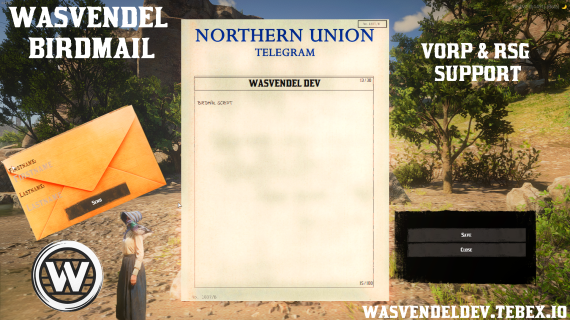
BirdMail System v2
wasvendel_birdmail is a fast, immersive, and lore-friendly in-game communication system for RedM servers, designed for both VORP and RSG frameworks.
The system allows players to send letters through birds, combining roleplay-friendly messaging with configurable delivery behavior, animations, inventory tracking, SQL storage, and Discord logging.
Main Features
- Lore-Friendly Messaging – Send in-game letters through birds for an immersive RedM communication experience.
- Custom Bird Model – Configure the bird model used for deliveries.
- Bird Size Adjustment – Adjust the size of the bird from the configuration.
- Incoming Bird Blip – Enable or disable map blips for incoming birds.
- Visual Flight Animation – Optional bird flight animation from the sender for better immersion.
- Flexible Recipient Search – Send messages using different player data depending on the framework.
- Custom Letter Items – Define custom items used for sending and receiving letters.
- Optional Bird Item Requirement – Configure whether sending a birdmail requires a specific item.
- Sender and Receiver Item Handling – Choose whether the sender loses an item and whether the receiver receives one.
- SQL Letter Tracking – Letters are tracked through inventory ID and stored in SQL.
- Custom Character Limits – Set custom limits for the letter title and message body.
- Configurable Delivery Time – Control how long it takes for letters to arrive.
- Animation Customization – Fully customize sending and receiving animations.
- Discord Logging – Sent messages can be logged through Discord webhooks.
Framework Support
- VORP Support – Supports firstname, lastname, server ID, and character ID.
- RSG Support – Supports firstname, lastname, server ID, and CID.
- Flexible Identification – Recipient data can be combined freely, and even one identifier can be enough depending on your configuration.
Configuration Options
- Bird Model and Size – Configure the bird appearance and scale.
- Blip Settings – Enable or disable incoming bird map blips.
- Delivery Settings – Configure delivery time and message behavior.
- Item Requirements – Define required items and item handling rules.
- Message Limits – Set character limits for titles and message bodies.
- Animation Settings – Customize all related animations.
- Discord Webhook – Configure logging for sent birdmail messages.
Locked Files
Server-side and client-side core files are protected with CFX Escrow, while config.lua remains fully open and editable.
Dependencies
- RSG / VORP
- SQL